


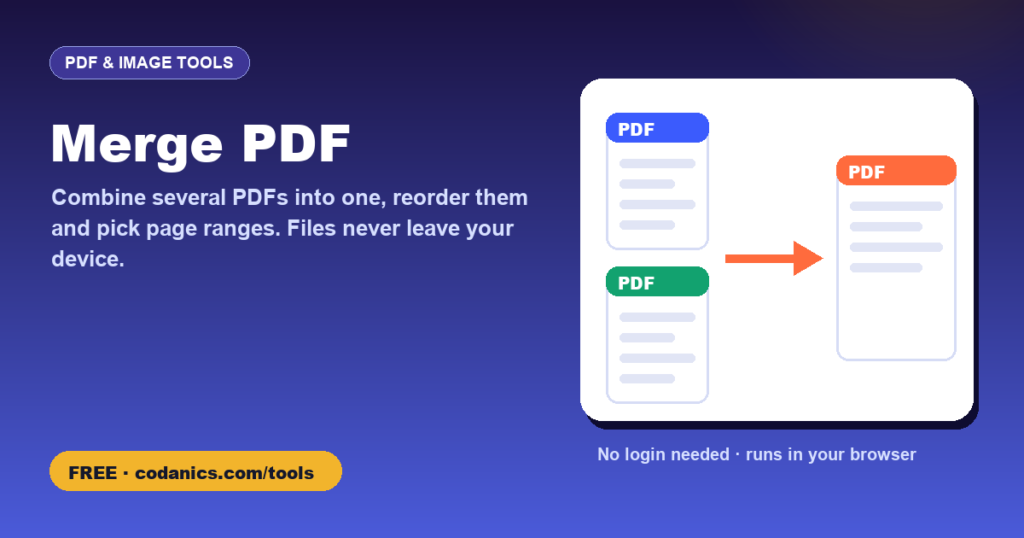
Merge PDF Files Online, Free and Private (No Upload, No Login)
Combine your CV, transcripts, certificates and letters into one PDF for an application portal. Everything happens inside your browser, so your documents are never uploaded to any server.
- PriceFree, no login or sign-up needed
- Your dataProcessed in your browser, never uploaded
- Works onPhone, tablet or computer, any modern browser
- Made byDr. Muhammad Aammar Tufail, Codanics
- Published15 November 2026
- Last updated16 November 2026
📚 How to cite this tool
This tool is free. If it helped your thesis, paper, report or assignment, please cite it. It keeps the tools free and helps other students find them.
Tufail, M. A. (2026). Merge PDF [Online tool]. Codanics. Retrieved 16 November 2026, from https://codanics.com/tools/merge-pdf/
In-text citation: (Tufail, 2026) · Narrative: Tufail (2026)
The access date is today’s date, filled in automatically. Author: Muhammad Aammar Tufail. Published 15 November 2026.
How to use the merge pdf
- Click Select PDFs or drag your files onto the box. Example files are loaded so you can try it first.
- Put the files in the order you want using the ↑ and ↓ buttons.
- Optionally type page ranges for a file, for example
1-3, 5or2-end. Leave it empty to include every page. - Click Merge PDFs, then download the combined file.
Why merge PDFs in your browser?
Most online PDF sites upload your files to their servers. That is a real risk for passports, transcripts, bank statements and medical records. This tool uses the open-source pdf-lib library to merge files on your own device: nothing is uploaded, there is no file-size limit set by us, no watermark and no account.
Common uses for students and researchers
- Combine CV, transcripts, degree certificates and language test results into one file for a university or scholarship portal.
- Join a manuscript, figures and supplementary files for a journal or supervisor.
- Put together signed forms, receipts and reports into one PDF for your department.
Tips
- Portal size limit? If the merged file is too big, resize scanned images with the image resizer before converting them with images to PDF.
- Need only some pages? Type ranges such as
1-2for each file, or use Split PDF. - Password-protected PDFs must be unlocked in the original program first.
Frequently asked questions
Is it safe to merge PDFs with this tool?
Yes. The files are merged inside your browser with JavaScript and are never uploaded to Codanics or any other server. You can even disconnect from the internet after the page has loaded and it still works.
Is there a limit on the number or size of PDFs?
We set no limit. The practical limit is your device’s memory; most phones and computers handle several hundred pages without problems.
Will the merged PDF have a watermark?
No. The merged file contains only your pages, with no watermark or added pages.
Can I merge only some pages from each PDF?
Yes. Type a page range next to each file, such as 1-3, 5 or 4-end. Leave it empty to include all pages.
Why are some pages blank after merging?
This usually happens with password-protected or restricted PDFs. Open the file in its original program, remove the password or restrictions, save it, and merge again.
Does it work on a phone?
Yes. It works in any modern browser on Android, iPhone, tablets and computers.
Do I need to log in or create an account to use the merge pdf?
No. There is no login, no sign-up and no email required. Open the page and start using it straight away, for free, on any device.
How do I cite this tool in my thesis or paper?
Use the citation box on this page. In APA 7th edition: Tufail, M. A. (2026). Merge PDF [Online tool]. Codanics. Retrieved [date you used it], from https://codanics.com/tools/merge-pdf/. BibTeX, RIS (EndNote, Mendeley, Zotero), MLA, Harvard, Chicago and Vancouver formats are also available.
Free guides and courses from Codanics
More free tools
See all free Codanics tools → · Codanics on YouTube · WhatsApp channel