


Pomodoro Timer for Studying and Thesis Writing (with Session Log)
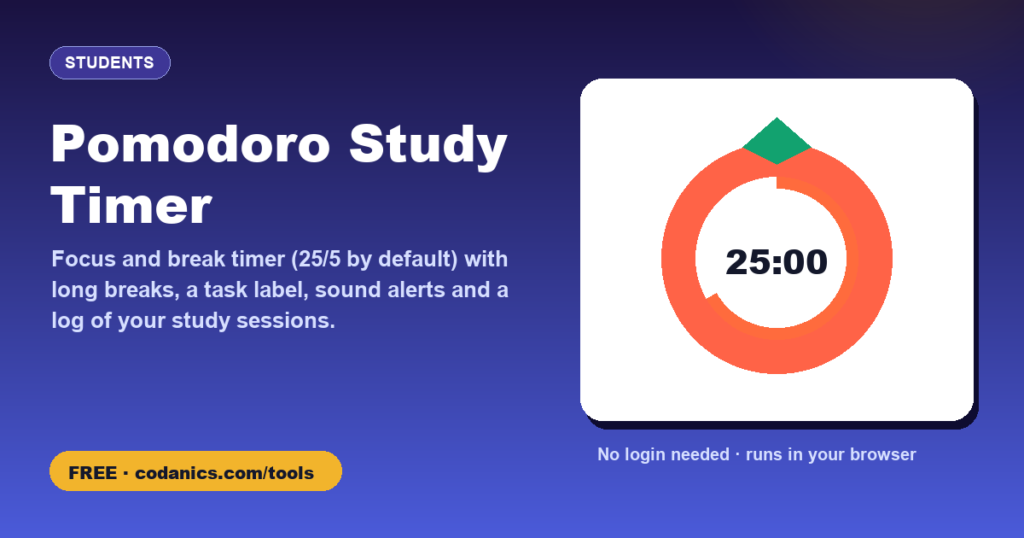
Study or write in focused blocks: 25 minutes of work, a 5-minute break, and a longer break after every four rounds. Label what you are working on, and the timer keeps a log of your sessions with a weekly chart, so you can see how much focused time actually went into your thesis.
Settings
Your focus time
| Date | Start | Task | Minutes |
|---|
- PriceFree, no login or sign-up needed
- Your dataProcessed in your browser, never uploaded
- Works onPhone, tablet or computer, any modern browser
- Made byDr. Muhammad Aammar Tufail, Codanics
- Published17 November 2026
- Last updated16 November 2026
📚 How to cite this tool
This tool is free. If it helped your thesis, paper, report or assignment, please cite it. It keeps the tools free and helps other students find them.
Tufail, M. A. (2026). Pomodoro study timer [Online tool]. Codanics. Retrieved 16 November 2026, from https://codanics.com/tools/pomodoro-timer/
In-text citation: (Tufail, 2026) · Narrative: Tufail (2026)
The access date is today’s date, filled in automatically. Author: Muhammad Aammar Tufail. Published 17 November 2026.
How to use the pomodoro study timer
- Type what you are working on, for example “Thesis chapter 2”, and click Start.
- Work only on that task until the timer rings. If a distraction pops up, write it down and come back to it in the break.
- Take the short break away from the screen: stand up, stretch, drink water.
- After four focus rounds, take a longer break of 15–30 minutes. The dots show where you are in the cycle.
- Check your log and 7-day chart to see how much focused time you managed, and download it as CSV if you track your thesis progress.
What is the Pomodoro technique?
The Pomodoro technique is a time-management method developed by Francesco Cirillo in the late 1980s and named after a tomato-shaped kitchen timer. You work in short, fully focused blocks (traditionally 25 minutes), each followed by a short break, with a longer break after four blocks. Short deadlines make it easier to start difficult tasks, such as writing a thesis chapter, and regular breaks help you keep going for longer without burning out.
Which settings should I use?
| Setting | Focus / break | Good for |
|---|---|---|
| Classic | 25 / 5, long break 15 | Revision, reading papers, most study |
| Deep work | 50 / 10, long break 30 | Writing, coding and data analysis, once you are in the flow |
| Getting started | 15 / 3, long break 10 | Days with low energy or tasks you keep avoiding |
Pomodoros for thesis writing
- Plan the day in pomodoros: “3 for chapter 2, 2 for analysis, 1 for emails”.
- One pomodoro, one task. Do not check email or messages during a focus block.
- Writing and editing are different tasks. Draft in one block, edit in another.
- Track focused time, not hours at the desk. Two to four hours of real focus is a productive research day.
Frequently asked questions
Does the timer keep running if I switch tabs?
Yes. The timer uses the real clock, so it stays accurate even when the browser slows down background tabs. The remaining time is also shown in the tab title.
Why is there no sound?
Browsers only allow sound after you have interacted with the page, so click Start at least once. Check that Sound is ticked in Settings and that your device is not muted.
How do desktop notifications work?
Tick “Desktop notification” and allow notifications when your browser asks. You will then see a message when each block ends, even if the tab is in the background. You can switch it off at any time.
Is my session log private?
Yes. The log and settings are saved only in this browser on this device. Nothing is uploaded. Download the CSV if you want to keep a copy.
What happens if I skip a focus block early?
If you worked at least one minute, the minutes you completed are logged, and the timer moves on to a break.
How many pomodoros should I do per day?
Many students manage 6–10 focused pomodoros (about 2.5–4 hours) on a good study day. Set a daily goal in Settings and build up gradually.
Do I need to log in or create an account to use the pomodoro study timer?
No. There is no login, no sign-up and no email required. Open the page and start using it straight away, for free, on any device.
How do I cite this tool in my thesis or paper?
Use the citation box on this page. In APA 7th edition: Tufail, M. A. (2026). Pomodoro study timer [Online tool]. Codanics. Retrieved [date you used it], from https://codanics.com/tools/pomodoro-timer/. BibTeX, RIS (EndNote, Mendeley, Zotero), MLA, Harvard, Chicago and Vancouver formats are also available.
Free guides and courses from Codanics
More free tools
See all free Codanics tools → · Codanics on YouTube · WhatsApp channel