


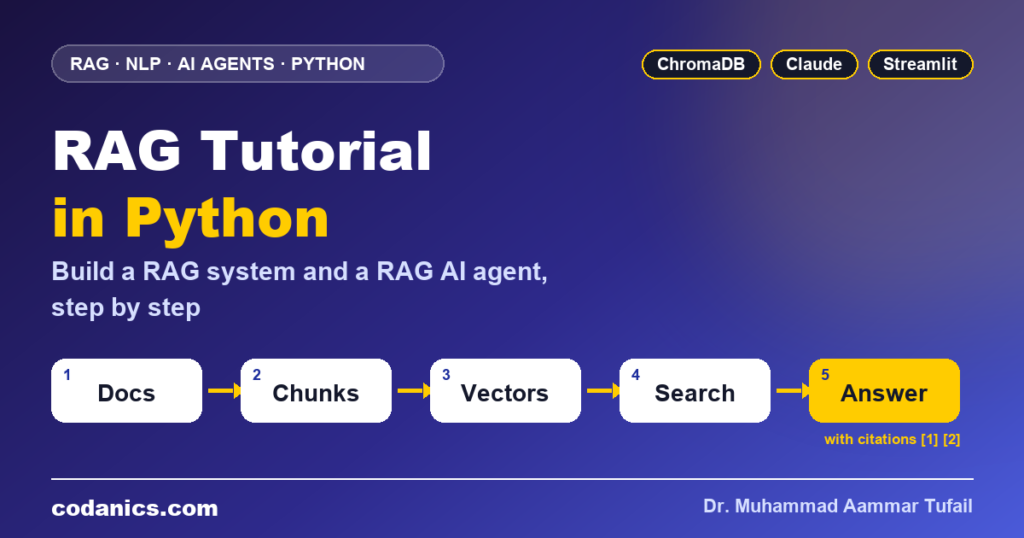
RAG Tutorial in Python: Build a RAG System and a RAG AI Agent, Step by Step
Learn how retrieval-augmented generation works, from embeddings and chunking to vector databases, then build AskMyDocs: a complete Python app that answers questions from your own PDFs with citations, upgrades to a RAG agent that plans its own searches, and runs in a Streamlit chat interface.
Subscribe on YouTubeRAG (retrieval-augmented generation) lets a large language model answer from your own documents. You split documents into chunks, turn each chunk into an embedding, store them in a vector database, find the chunks most similar to a question, and give those chunks to the LLM with an instruction to answer only from them and cite them. A RAG agent goes one step further: the LLM gets search as a tool and decides itself when and how often to search. In Python you can build both with ChromaDB, the Anthropic SDK and Streamlit in about 300 lines.
| What you build | AskMyDocs: chat with your PDFs, TXT and Markdown files, with cited answers |
|---|---|
| Language | Python 3.10 or newer |
| Vector database | ChromaDB, saved to disk, with a free local embedding model (all-MiniLM-L6-v2) |
| Language model | Claude through the official Anthropic Python SDK (or a free local model with Ollama) |
| Agent | A tool-using RAG agent built with the Anthropic tool runner |
| Interface | Streamlit chat app with file upload, sources panel and agent steps |
| Time needed | About 1–2 hours, including setup and testing |
Every week a student sends me the same message: “I built a chatbot with an LLM, but it does not know anything about my documents, and sometimes it makes things up.” A company wants a bot for its HR policies. A researcher wants to question fifty papers at once. A shop wants a support assistant that knows its own refund rules. The model is smart, but it has never seen their data.
The answer to all three is the same technique: retrieval-augmented generation, or RAG. Instead of hoping the model remembers, you look up the right passages first and hand them to the model like an open book. It is the most common pattern in real-world generative AI products today, and it is the base on which most document agents are built.
In this guide we start with the NLP ideas behind RAG (tokens, embeddings and similarity), compare RAG with fine-tuning, and then build a complete application step by step: ingestion, vector search, cited answers, a RAG agent that plans its own searches, a web interface, evaluation and deployment. Every file is shown in full and was tested before publishing. If you are new to NLP, read my NLP with Hugging Face guide alongside this one.
In this guide
- What is RAG, and why does NLP need it?
- RAG vs fine-tuning vs long context (CAG)
- How a RAG pipeline works: embeddings, chunks and vector databases
- From RAG to RAG agents (agentic RAG)
- Project setup: AskMyDocs
- Step 1–2: settings and document ingestion
- Step 3–4: retrieval and cited answers
- Step 5: build the RAG AI agent
- Step 6: the Streamlit chat app (and a free local version)
- Step 7: evaluate, improve and troubleshoot
- Step 8: deploy, secure and turn it into a product
- All 16 videos
- Links and related guides
- Key terms
- FAQ
What is RAG, and why does NLP need it?
RAG (retrieval-augmented generation) is an NLP technique where a system first retrieves passages relevant to a question from a document collection and then asks a large language model to generate the answer from those passages. It gives LLMs up-to-date, private and verifiable knowledge without retraining them, and it reduces hallucinations because every answer can be traced to a source.
Natural language processing has moved from counting words, to word vectors, to transformers and large language models. LLMs are excellent at language: understanding a question, summarising, translating and writing. They are less reliable at knowledge: they only know what was in their training data, they do not know your company’s documents, and when they are unsure they may still produce a fluent but wrong answer. That is called a hallucination.
RAG splits the job in two. A retriever (classic NLP and search) finds the right information. A generator (the LLM) turns that information into a clear answer. You get the language skills of the LLM and the facts from your documents.
product_faq.md, and the model answers “7 days, processed within 5 to 10 business days [1]”, with the source shown.

If you want the NLP and LLM foundations first, these lessons cover how language models work and the terms you will see throughout this guide:

Where RAG is used
- Company knowledge bots: HR policies, IT help, onboarding documents
- Customer support: answers from product manuals, FAQs and past tickets
- Research assistants: questions across many papers, theses or reports
- Legal and compliance: search contracts and regulations with exact citations
- Education: a tutor that answers from your course notes and books
- Healthcare and science: guidelines and protocols, always with sources
- RAG = retrieve relevant passages + let the LLM answer from them.
- It adds private, up-to-date knowledge without retraining the model.
- Citations make answers checkable and reduce hallucinations.
RAG vs fine-tuning vs long context (CAG): which one do you need?
Use RAG when the knowledge is large, changes often or must be cited. Use fine-tuning when you want to change the model’s behaviour, style or output format, not its facts. Use long context or cache-augmented generation (CAG) when the documents are few and fixed enough to fit into the prompt. Many production systems combine RAG with a well-written prompt and, sometimes, a fine-tuned model.
| Approach | How it adds knowledge | Best for | Watch out for |
|---|---|---|---|
| Prompting only | None: relies on what the model already knows | General questions, writing, coding help | Unknown or outdated facts, hallucinations |
| RAG | Retrieves passages at question time | Large or changing document sets, answers with sources | Quality depends on chunking and retrieval |
| Fine-tuning | Changes the model’s weights with training examples | Tone, format, classification, domain style | Cost, data preparation, facts get stale |
| Long context / CAG | Puts all documents into the prompt, often with caching | A small, fixed set of documents | Cost and speed grow with every document |


For a deeper look at fine-tuning methods such as LoRA and QLoRA and when RAG is the better choice, watch the full session:

- Facts that change or need citations → RAG.
- Behaviour, tone or format → fine-tuning.
- A handful of fixed documents → long context or CAG.
How does a RAG pipeline work? Embeddings, chunking and vector databases
A RAG pipeline has two phases. Indexing (done once per document): load the files, split them into overlapping chunks, convert each chunk into an embedding vector and store it in a vector database. Querying (done for every question): embed the question, find the most similar chunks with cosine similarity, put them into a prompt and let the LLM generate a cited answer.
- 1 · LoadDocumentsPDF, TXT, Markdown, web pages
- 2 · ChunkSplitOverlapping pieces of text
- 3 · EmbedVectorsMeaning as numbers
- 4 · RetrieveSearchTop-k similar chunks
- 5 · GenerateAnswerLLM writes a cited reply
Embeddings: meaning as numbers
An embedding model turns a piece of text into a vector, a list of a few hundred numbers. Texts with similar meaning get vectors that point in similar directions, even when they share no words: “annual leave” and “holiday days per year” end up close together. To compare a question with a chunk we use cosine similarity, which measures the angle between two vectors (1 means the same direction, 0 means unrelated). If vectors are new to you, my guide to vectors in linear algebra explains the maths in simple steps.
Chunking: the setting that matters most
Documents are too long to embed as one piece, and a whole document is too vague to match a precise question. So we split them into chunks. Too small, and a chunk loses its context; too large, and it mixes several topics and wastes prompt space. A small overlap between neighbouring chunks keeps sentences that sit on a boundary from being cut in half.
| Chunking method | How it works | When to use |
|---|---|---|
| Fixed size with overlap | Every N characters, sharing some text with the next chunk | A reliable default; used in this guide |
| Sentence-aware | Fixed size, but ends chunks at full stops | Prose, policies, articles (our splitter does this) |
| By structure | Split on headings, sections or pages | Manuals, Markdown, well-structured reports |
| Semantic | Start a new chunk when the topic changes | Long, mixed documents; costs more to compute |
Vector databases: where the embeddings live
| Option | Type | Good for |
|---|---|---|
| ChromaDB | Local library, saves to disk | Learning, prototypes, small to medium apps (this guide) |
| FAISS | In-memory library from Meta | Very fast search when you manage storage yourself |
| Qdrant / Weaviate | Self-hosted or cloud server | Production apps with filtering and scaling |
| pgvector | PostgreSQL extension | Apps that already use PostgreSQL |
| Pinecone | Fully managed cloud service | Teams that do not want to run any database |
- Indexing: load → chunk → embed → store.
- Querying: embed the question → retrieve top-k → generate with citations.
- Chunk size and retrieval quality decide most of the answer quality.
What is a RAG agent, and how is it different from classic RAG?
Classic RAG always runs one fixed search and then answers. A RAG agent (agentic RAG) gives the LLM the search as a tool: the model decides when to search, writes its own search queries, can search several times or in a specific document, checks whether the results are enough and only then answers. This handles multi-part, comparison and follow-up questions much better, at the cost of more LLM calls.
Take the question “I am a new employee: can I work from home in my first month, and how do I claim my travel costs?” Classic RAG runs one search for the whole sentence and may only bring back the remote work section. A RAG agent searches for “remote work probation”, then for “travel expense claim”, reads both and answers with two citations. That is the difference between a search box and an assistant.


In this guide we build both modes in the same app, so you can compare them on your own documents. Once the single agent works, the next step is a team of agents with LangGraph; the AI agents GitHub repository and my eleven LangGraph agents video show many examples.
- Classic RAG: one search, then answer.
- RAG agent: the model plans and repeats searches with tools.
- Use the agent for multi-part questions; keep classic RAG for speed.
Project setup: what are we building?
We build AskMyDocs, a Python application with eight files: config.py (settings), ingest.py (load, chunk and store documents in ChromaDB), retriever.py (semantic search), rag.py (cited answers with Claude), agent.py (a tool-using RAG agent), app.py (Streamlit chat interface), evaluate.py (retrieval quality) and rag_ollama.py (an optional free local model).
askmydocs/
├── data/                # put your PDF, .txt and .md files here
├── chroma_db/           # created automatically: the vector database
├── config.py            # settings
├── ingest.py            # Step 2: load, chunk and store
├── retriever.py         # Step 3: semantic search
├── rag.py               # Step 4: classic RAG with citations
├── agent.py             # Step 5: RAG agent with tools
├── app.py               # Step 6: Streamlit web app
├── rag_ollama.py        # optional: free local model
├── evaluate.py          # Step 7: retrieval quality
├── requirements.txt
├── .env                 # your API key (never commit this)
└── .gitignore
Install everything
mkdir askmydocs && cd askmydocs
python -m venv .venv
source .venv/bin/activate          # Windows: .venv\Scripts\activate
pip install anthropic chromadb pypdf python-dotenv streamlit
pip freeze > requirements.txt
mkdir data
# copy this file to .env and fill in your key
ANTHROPIC_API_KEY=your-anthropic-api-key
CLAUDE_MODEL=claude-opus-5-5
.env
.venv/
chroma_db/
__pycache__/
Create an API key in the Claude Developer Platform and paste it into .env. The Anthropic SDK reads ANTHROPIC_API_KEY automatically. Embeddings and the vector database run locally, so they need no key and cost nothing.
Sample documents
Put a few of your own PDFs into data/, or start with these two small files so you can follow the examples exactly:
# Acme Ltd employee handbook

## Annual leave
Every full-time employee gets 24 days of paid annual leave per calendar year, plus public holidays. Part-time staff get leave in proportion to their hours. Up to 5 unused days can be carried over to the next year, and must be used before 31 March.

## Remote work
Employees may work from home up to 3 days a week after completing their probation period of 3 months. Remote days must be agreed with your manager in advance. Core hours are 10:00 to 15:00 in your local time zone.

## Travel expenses
Submit travel expense claims within 30 days through the finance portal, with photos of all receipts. Economy class is standard for flights under 6 hours. Daily meal allowance while travelling is 40 euros.

## Sick leave
If you are ill, inform your manager before 09:30. A doctor's note is required for absences longer than 3 consecutive days.
# Datajin product FAQ

## Free trial
Datajin offers a 14-day free trial with all Pro features. No credit card is needed to start the trial.

## Pricing and payment
The Pro plan costs 19 dollars per month or 190 dollars per year. We accept Visa, Mastercard, PayPal and bank transfer for annual plans.

## Refunds
If you cancel within 7 days of a payment, you get a full refund. Refunds are processed within 5 to 10 business days to the original payment method.

## Data privacy
Uploaded files are encrypted at rest and deleted automatically 30 days after you remove them from your workspace. We never use customer data to train AI models.
Step 1–2: how do you load, chunk and store documents?
Read each PDF page with pypdf (or a text file directly), normalise the whitespace, split the text into chunks of about 800 characters with 150 characters of overlap that end at a full stop when possible, and add the chunks to a persistent ChromaDB collection with the file name and page number as metadata. ChromaDB creates the embeddings with its default local model.
Step 1: settings in one place
# config.py: every setting in one place
import os
from pathlib import Path

from dotenv import load_dotenv

BASE_DIR = Path(__file__).resolve().parent
load_dotenv(BASE_DIR / ".env")

DATA_DIR = BASE_DIR / "data"          # your PDFs, .txt and .md files
DB_DIR = BASE_DIR / "chroma_db"       # the vector database is saved here
COLLECTION = "askmydocs"

CHUNK_SIZE = 800       # characters per chunk
CHUNK_OVERLAP = 150    # characters shared by neighbouring chunks
TOP_K = 4              # how many chunks to retrieve per search

CLAUDE_MODEL = os.getenv("CLAUDE_MODEL", "claude-opus-5-5")
Step 2: the ingestion pipeline
This file does the whole indexing phase. Three details make it ready for real use: each chunk keeps its file name and page so answers can cite them; IDs are a hash of the content, so the same text always gets the same ID; and re-indexing a file first deletes its old chunks, so you can update a document without duplicates.
# ingest.py: load documents, split them into chunks and store them in ChromaDB
import hashlib
import sys
from pathlib import Path

import chromadb
from pypdf import PdfReader

import config

SUPPORTED = {".pdf", ".txt", ".md"}


def get_collection():
    """Open (or create) the persistent vector collection.
    ChromaDB embeds text with its default local model (all-MiniLM-L6-v2): free, no API key."""
    client = chromadb.PersistentClient(path=str(config.DB_DIR))
    return client.get_or_create_collection(config.COLLECTION, metadata={"hnsw:space": "cosine"})


def load_file(path: Path) -> list[dict]:
    """Return one record per page (PDF) or per file (TXT/MD)."""
    if path.suffix.lower() == ".pdf":
        reader = PdfReader(path)
        return [{"text": page.extract_text() or "", "source": path.name, "page": i}
                for i, page in enumerate(reader.pages, start=1)]
    return [{"text": path.read_text(encoding="utf-8", errors="ignore"), "source": path.name, "page": 1}]


def split_text(text: str, size: int = config.CHUNK_SIZE, overlap: int = config.CHUNK_OVERLAP) -> list[str]:
    """Split text into overlapping chunks, preferring to end each chunk at a full stop."""
    text = " ".join(text.split())                     # normalise spaces and line breaks
    chunks, start = [], 0
    while start < len(text):
        end = min(start + size, len(text))
        if end < len(text):
            cut = text.rfind(". ", start, end)
            if cut > start + size // 2:               # only if the sentence end is not too early
                end = cut + 1
        chunks.append(text[start:end].strip())
        if end >= len(text):
            break
        start = end - overlap
        space = text.find(" ", start, end)            # start the next chunk on a word boundary
        if space != -1:
            start = space + 1
    return [c for c in chunks if c]


def ingest_files(paths) -> int:
    """Chunk and index the given files. Re-indexing the same file replaces its old chunks."""
    collection = get_collection()
    total = 0
    for path in map(Path, paths):
        if path.suffix.lower() not in SUPPORTED:
            continue
        collection.delete(where={"source": path.name})          # remove the old version first
        ids, docs, metas = [], [], []
        for record in load_file(path):
            for n, chunk in enumerate(split_text(record["text"])):
                key = f'{record["source"]}|{record["page"]}|{n}|{chunk}'
                ids.append(hashlib.sha1(key.encode()).hexdigest())
                docs.append(chunk)
                metas.append({"source": record["source"], "page": record["page"]})
        for i in range(0, len(ids), 100):                         # add in batches
            collection.add(ids=ids[i:i + 100], documents=docs[i:i + 100], metadatas=metas[i:i + 100])
        print(f"  {path.name}: {len(ids)} chunks")
        total += len(ids)
    return total


def list_sources() -> dict[str, int]:
    """Return {file name: number of chunks} for everything in the knowledge base."""
    counts: dict[str, int] = {}
    for meta in get_collection().get(include=["metadatas"])["metadatas"]:
        counts[meta["source"]] = counts.get(meta["source"], 0) + 1
    return dict(sorted(counts.items()))


if __name__ == "__main__":
    folder = Path(sys.argv[1]) if len(sys.argv) > 1 else config.DATA_DIR
    files = [p for p in sorted(folder.rglob("*")) if p.suffix.lower() in SUPPORTED]
    print(f"Indexing {len(files)} files from {folder} ...")
print(f"Done: {ingest_files(files)} chunks in the knowledge base.")python ingest.py
hr_policy.md: 2 chunks. Run it again and the total stays the same: no duplicates.- Keep source and page metadata on every chunk.
- Use content-based IDs and delete old chunks to avoid duplicates.
- Local embeddings mean indexing is free.
Step 3–4: how do you retrieve chunks and generate a cited answer?
Query the ChromaDB collection with the question text to get the top-k most similar chunks and their distances, convert distance to a similarity score, then build a prompt that numbers each chunk with its file and page, and tell Claude to answer only from those sources, cite them as [1], [2] and say clearly when the answer is not in the documents.
Step 3: semantic search
# retriever.py: semantic search over the knowledge base
import config
from ingest import get_collection


def search(query: str, k: int = config.TOP_K, source: str | None = None) -> list[dict]:
    """Return the k chunks most similar in meaning to the query."""
    collection = get_collection()
    count = collection.count()
    if count == 0:
        return []
    result = collection.query(
        query_texts=[query],
        n_results=min(k, count),
        where={"source": source} if source else None,
    )
    return [
        {"text": doc, "source": meta["source"], "page": meta["page"], "score": round(1 - dist, 3)}
        for doc, meta, dist in zip(result["documents"][0], result["metadatas"][0], result["distances"][0])
    ]


if __name__ == "__main__":
    import sys
    for hit in search(" ".join(sys.argv[1:]) or "What is this document about?"):
print(f'[{hit["score"]}] {hit["source"]} p.{hit["page"]}: {hit["text"][:120]}...')python retriever.py "how many holidays do I get"
hr_policy.md even though the word “holidays” does not appear in it: the embedding understands that it means annual leave. That is semantic search.Step 4: the generator, with citations
The prompt is where RAG succeeds or fails. The system prompt sets three rules: use only the sources, cite every fact, and admit when the answer is missing. The sources go inside <sources> tags so the model can clearly separate your documents from the question. For more on writing prompts like this, see my prompt engineering guide.
# rag.py: classic RAG = retrieve the best chunks, then let Claude answer from them
import anthropic

import config
from retriever import search

client = anthropic.Anthropic(timeout=60.0, max_retries=2)   # reads ANTHROPIC_API_KEY

SYSTEM = (
    "You answer questions using only the numbered sources inside <sources>. "
    "Cite every fact with its source number, like [1] or [2][3]. "
    "If the sources do not contain the answer, reply exactly: "
    "\"I could not find this in your documents.\" Do not use outside knowledge."
)


def build_prompt(question: str, chunks: list[dict]) -> str:
    context = "\n\n".join(
        f'[{i}] (file: {c["source"]}, page {c["page"]})\n{c["text"]}' for i, c in enumerate(chunks, start=1)
    )
    return f"<sources>\n{context}\n</sources>\n\nQuestion: {question}"


def answer(question: str, k: int = config.TOP_K) -> dict:
    chunks = search(question, k)
    if not chunks:
        return {"answer": "The knowledge base is empty. Add documents first.", "sources": []}
    try:
        response = client.messages.create(
            model=config.CLAUDE_MODEL,
            max_tokens=8000,
            output_config={"effort": "low"},          # quick, cheaper answers
            system=SYSTEM,
            messages=[{"role": "user", "content": build_prompt(question, chunks)}],
        )
    except anthropic.APIError as e:
        return {"answer": f"The AI service returned an error: {e}", "sources": chunks}
    if response.stop_reason == "refusal":
        return {"answer": "Sorry, I can't help with that request.", "sources": chunks}
    text = "".join(block.text for block in response.content if block.type == "text")
    return {"answer": text, "sources": chunks}


if __name__ == "__main__":
    import sys
    result = answer(" ".join(sys.argv[1:]) or "Summarise the documents.")
    print(result["answer"], "\n\nSources:")
    for i, s in enumerate(result["sources"], start=1):
print(f' [{i}] {s["source"]}, page {s["page"]} (score {s["score"]})')python rag.py "How long does a refund take?"
effort: "low"? Effort controls how much the model thinks before it answers. Document Q&A with good sources rarely needs deep reasoning, so low effort gives faster and cheaper answers. Raise it to "medium" if answers miss details.- Number the sources and ask for citations like [1].
- Always allow ‘I could not find this in your documents’.
- Test with a question that is not in the documents.
Step 5: how do you build a RAG AI agent in Python?
Wrap your search function as a tool with the @beta_tool decorator from the Anthropic SDK, write a clear docstring that explains when and how to use it, and pass it to client.beta.messages.tool_runner together with a system prompt. The tool runner sends the question to Claude, runs every tool call Claude makes, returns the results and repeats until Claude writes the final answer.
The agent gets two tools: search_documents, which can search all files or one specific file, and list_documents, which tells it what is in the knowledge base. The docstrings matter: Claude reads them to decide when to call each tool and what to pass, so write them like instructions for a new colleague.
# agent.py: a RAG agent. Claude decides when and what to search, and can search several times.
import anthropic
from anthropic import beta_tool

import config
from ingest import list_sources
from retriever import search

client = anthropic.Anthropic(timeout=90.0, max_retries=2)


@beta_tool
def search_documents(query: str, source: str = "") -> str:
    """Search the user's documents and return the most relevant passages with file name and page.

    Args:
        query: What to look for. Use specific keywords. If results are weak, rephrase and search again.
        source: Optional file name to search inside one document only, e.g. "hr_policy.md". Leave empty to search all files.
    """
    hits = search(query, k=config.TOP_K, source=source or None)
    if not hits:
        return "No matching passages found."
    return "\n\n".join(f'(file: {h["source"]}, page {h["page"]}, score {h["score"]})\n{h["text"]}' for h in hits)


@beta_tool
def list_documents() -> str:
    """List every document in the knowledge base and how many chunks it has."""
    sources = list_sources()
    if not sources:
        return "The knowledge base is empty."
    return "\n".join(f"{name}: {n} chunks" for name, n in sources.items())


AGENT_SYSTEM = (
    "You are a careful research assistant for the user's own documents. "
    "Always call search_documents before answering a question about the documents. "
    "For questions with several parts or comparisons, search once per part. "
    "Answer only from what the tools return and cite each fact as (file, page). "
    "If the documents do not contain the answer, say so clearly."
)


def run_agent(question: str, history: list[dict] | None = None) -> dict:
    """Run the agent loop and return the final answer plus the tool calls it made."""
    runner = client.beta.messages.tool_runner(
        model=config.CLAUDE_MODEL,
        max_tokens=8000,
        output_config={"effort": "medium"},
        system=AGENT_SYSTEM,
        tools=[search_documents, list_documents],
        messages=[*(history or []), {"role": "user", "content": question}],
        max_iterations=8,                              # safety limit on tool rounds
    )
    steps, final = [], None
    try:
        for message in runner:                         # one message per round
            final = message
            steps += [f"{b.name}({b.input})" for b in message.content if b.type == "tool_use"]
    except anthropic.APIError as e:
        return {"answer": f"The AI service returned an error: {e}", "steps": steps}
    if final is None or final.stop_reason == "refusal":
        return {"answer": "Sorry, I can't help with that request.", "steps": steps}
    text = "".join(b.text for b in final.content if b.type == "text")
    return {"answer": text, "steps": steps}


if __name__ == "__main__":
    import sys
    result = run_agent(" ".join(sys.argv[1:]) or "Which documents do I have, and what are they about?")
    print("Agent steps:", *result["steps"], sep="\n  ")
print("\n" + result["answer"])python agent.py "Compare the refund rules with the free trial. Do I need a credit card to try it?"
search_documents({'query': 'refund policy'}) and search_documents({'query': 'free trial credit card'}), then the final answer with a citation for each part.What happens inside the agent loop
- Claude reads the question and the tool descriptions, and decides it needs information.
- It calls a tool, for example
search_documentswith its own search words. - The tool runner executes your Python function and sends the passages back to Claude.
- Claude decides again: search for the second part of the question, search inside one file, or answer.
- The loop stops when Claude writes a final answer, or after
max_iterationsrounds as a safety limit.
max_iterations low, return only the top few chunks from each search, and use classic RAG for simple questions. In the app below, the user chooses the mode.- A tool is a Python function plus a clear description.
- The tool runner handles the call → execute → return loop for you.
- Limit iterations to control cost and latency.
Step 6: how do you build a chat interface for your RAG app?
Use Streamlit: a sidebar with a file uploader that saves files to data/ and calls ingest_files, a radio button to choose classic RAG or the RAG agent, and a chat area built with st.chat_message and st.chat_input that shows each answer with an expandable list of sources or agent steps. Start it with streamlit run app.py.
# app.py: the Streamlit web app. Run with: streamlit run app.py
from pathlib import Path

import streamlit as st

import config
from agent import run_agent
from ingest import ingest_files, list_sources
from rag import answer

st.set_page_config(page_title="AskMyDocs", page_icon="📚", layout="wide")
st.title("📚 AskMyDocs: chat with your documents")

with st.sidebar:
    st.header("1. Add documents")
    uploads = st.file_uploader("PDF, TXT or MD files", type=["pdf", "txt", "md"], accept_multiple_files=True)
    if uploads and st.button("Index files", type="primary"):
        config.DATA_DIR.mkdir(exist_ok=True)
        paths = []
        for f in uploads:
            path = config.DATA_DIR / Path(f.name).name        # keep only the file name (safe path)
            path.write_bytes(f.getbuffer())
            paths.append(path)
        with st.spinner("Reading, chunking and embedding..."):
            st.success(f"Indexed {ingest_files(paths)} chunks.")

    st.header("2. Choose a mode")
    mode = st.radio("Mode", ["RAG (fast, one search)", "RAG agent (multi-step)"], label_visibility="collapsed")

    st.header("Knowledge base")
    sources = list_sources()
    st.caption("  \n".join(f"• {name} ({n} chunks)" for name, n in sources.items()) or "Empty: add a file above.")
    if st.button("Clear chat"):
        st.session_state.messages = []

if "messages" not in st.session_state:
    st.session_state.messages = []

for m in st.session_state.messages:
    with st.chat_message(m["role"]):
        st.markdown(m["content"])

if question := st.chat_input("Ask a question about your documents"):
    st.chat_message("user").markdown(question)
    history = st.session_state.messages[-6:]                   # short memory for follow-up questions
    st.session_state.messages.append({"role": "user", "content": question})

    with st.chat_message("assistant"):
        with st.spinner("Searching your documents..."):
            if mode.startswith("RAG agent"):
                result = run_agent(question, history)
            else:
                result = answer(question)
        st.markdown(result["answer"])
        if result.get("sources"):
            with st.expander("Sources used"):
                for i, s in enumerate(result["sources"], start=1):
                    st.markdown(f'**[{i}] {s["source"]}, page {s["page"]}** (similarity {s["score"]})')
                    st.caption(s["text"][:400] + "...")
        if result.get("steps"):
            with st.expander("Agent steps"):
                st.code("\n".join(result["steps"]))
st.session_state.messages.append({"role": "assistant", "content": result["answer"]})streamlit run app.py
http://localhost:8501. Upload a PDF, click Index files, then ask a question. Open Sources used to see exactly which passages the answer came from, or switch to the agent mode and open Agent steps.Optional: a 100% free, offline version with Ollama
Want to avoid API costs or keep everything on your own computer? Swap the generator for a local model. The retrieval stays exactly the same, which shows how modular RAG is.
# rag_ollama.py: the same RAG pipeline, answered by a free local model through Ollama
# 1) install Ollama from ollama.com   2) ollama pull llama3.2   3) pip install ollama
from ollama import chat

from rag import SYSTEM, build_prompt
from retriever import search


def answer_local(question: str, model: str = "llama3.2") -> dict:
    chunks = search(question)
    if not chunks:
        return {"answer": "The knowledge base is empty. Add documents first.", "sources": []}
    response = chat(model=model, messages=[
        {"role": "system", "content": SYSTEM},
        {"role": "user", "content": build_prompt(question, chunks)},
    ])
    return {"answer": response.message.content, "sources": chunks}


if __name__ == "__main__":
    import sys
print(answer_local(" ".join(sys.argv[1:]) or "Summarise the documents.")["answer"])# install Ollama from ollama.com first ollama pull llama3.2 pip install ollama python rag_ollama.py "How many days can I work from home?"


- Streamlit turns the Python functions into a web app in one file.
- Always show the sources next to the answer.
- The generator is swappable: Claude for quality, Ollama for free and offline.
Step 7: how do you evaluate and improve a RAG system?
Measure retrieval first: write real questions with the document that should be found, and calculate the hit rate at top-k (how often the right file appears in the results). Then check the answers for faithfulness to the sources and correct citations. Improve one setting at a time: chunk size and overlap, top-k, metadata filters, hybrid keyword and vector search, re-ranking and the prompt.
# evaluate.py: measure retrieval quality before you tune prompts or models
from retriever import search

# (question, file that must appear in the top results). Write 10-20 of these for your own documents.
EVAL_SET = [
    ("How many days of annual leave do employees get?", "hr_policy.md"),
    ("Can I work from home, and how many days a week?", "hr_policy.md"),
    ("How do I claim travel expenses?", "hr_policy.md"),
    ("How long does a refund take?", "product_faq.md"),
    ("Which payment methods are accepted?", "product_faq.md"),
    ("Is there a free trial?", "product_faq.md"),
]


def hit_rate(k: int = 4) -> float:
    hits = 0
    for question, expected in EVAL_SET:
        found = [h["source"] for h in search(question, k=k)]
        ok = expected in found
        hits += ok
        print(f'{"✓" if ok else "✗"} {question}  ->  {found}')
    return hits / len(EVAL_SET)


if __name__ == "__main__":
    for k in (1, 4):
print(f"\nHit rate @{k}: {hit_rate(k):.0%}\n")python evaluate.py
The improvement checklist
| Problem | Try this |
|---|---|
| The right chunk is not retrieved | Smaller chunks, more overlap, a better or multilingual embedding model, higher top-k |
| Exact terms (codes, names) are missed | Hybrid search: combine keyword search (BM25) with vector search |
| Many similar chunks crowd out the best one | Re-rank the top 20 results and keep the best 4 |
| Questions about one file get mixed results | Metadata filters, such as the source filter in search() |
| Vague or short user questions | Let the agent rewrite the query, or add a query-rewriting step |
| Answers ignore the sources or add extra facts | Stricter system prompt, fewer and better chunks, ask for a citation per sentence |
| Answers are slow or expensive | Classic RAG instead of the agent, lower effort, fewer chunks, cache repeated questions |


Troubleshooting
| You see | Likely cause | Fix |
|---|---|---|
| “The knowledge base is empty” | Nothing was indexed, or you run from another folder | Run python ingest.py inside the project folder |
| A PDF gives 0 chunks | Scanned images, no text layer | Run OCR first, then index the text |
| AuthenticationError | Missing or wrong API key | Check ANTHROPIC_API_KEY in .env |
| Old content still appears | The file was renamed, so the old name was not deleted | Delete the chroma_db folder and index again |
| pip fails to install chromadb | Very new or old Python version | Use Python 3.10 to 3.13 in a fresh virtual environment |
| Poor results for Urdu or Hindi | The default embedding model is English-only | Switch to a multilingual sentence-transformers model |
- Measure retrieval hit rate before changing prompts or models.
- Change one setting at a time and re-run the evaluation.
- Most bad answers start with bad retrieval.
Step 8: how do you deploy and secure a RAG app?
For a free demo, push the project to GitHub and deploy app.py on Streamlit Community Cloud with your API key in its secrets. For a real product, package it with Docker or run it on a VPS behind Nginx with your own domain and HTTPS. Before going public, add logins and usage limits, keep private documents per user, and treat retrieved text as untrusted input.
Option 1: Streamlit Community Cloud (free demo)
- Push to GitHub without
.envandchroma_db/(the.gitignoreabove already excludes them). - Create an app on Streamlit Community Cloud and select
app.py. - Add your key under the app’s secrets as
ANTHROPIC_API_KEY = "...". Streamlit exposes top-level secrets as environment variables. - Re-index after restarts: the free tier does not keep files permanently, so upload documents again or index them at start-up.
Option 2: Docker or your own server
FROM python:3.12-slim
WORKDIR /app
COPY requirements.txt .
RUN pip install --no-cache-dir -r requirements.txt
COPY . .
EXPOSE 8501
CMD ["streamlit", "run", "app.py", "--server.port=8501", "--server.address=0.0.0.0"]
docker build -t askmydocs .
docker run -p 8501:8501 --env-file .env -v "$(pwd)/chroma_db:/app/chroma_db" askmydocs
The -v option keeps the vector database outside the container, so your index survives updates. To put the app on your own domain with HTTPS, follow my step-by-step guide on deploying AI agents on a Hostinger VPS: the same Nginx and Certbot steps work for a Streamlit app. New to containers? Read Docker for data science and AI developers.
Security checklist for RAG apps
- Prompt injection: a document can contain text such as “ignore your instructions”. Keep sources inside tags, tell the model they are data, and never give the agent tools that delete, pay or send emails without a human check
- Access control: if users upload private files, give each user or team their own collection, or filter by a
user_idin the metadata - Secrets: API keys only in
.envor the hosting platform’s secrets, never in Git - Usage limits: add logins and a daily question limit before sharing the link
- Personal data: remove personal information you do not need before indexing, and delete it when users ask
- Logging: log questions, retrieved sources and answers (without secrets) so you can debug and evaluate
Turn it into a product
AskMyDocs is a template for many sellable apps: a policy assistant for a company, a study buddy for a course, a support bot for an online shop, a research assistant for a lab. In this video I share more than ten RAG and CAG project ideas you can build and sell as a freelancer or startup:

- AI, generative AI, LLMs, RAG and CAG, and what makes AI agentic
- Prompt engineering, tools, RAG vs skills vs MCP, and loop engineering
- Online and local LLMs (Ollama) and choosing the right model
- Claude Code and agentic AI for real project development
- Streamlit Cloud for a free demo, Docker or a VPS for a product.
- Treat document text as untrusted input.
- Separate users’ data and limit usage before going public.
All 16 videos: RAG, NLP and AI agents on Codanics
- 1RAG (Retrieval-Augmented Generation) Explained for LLMsTutorial · 12:11
- 2
- 3Introduction to Natural Language Processing (NLP) in Urdu and HindiLive session · 1:01:46
- 415 Key NLP Terms You Need to KnowTutorial · 37:48
- 5LLM vs. Fine-Tuned LLM vs. RAG-based LLM – Complete GuideTutorial · 18:37
- 6Augmented Generation for Better LLMs – RAG vs. CAG ExplainedTutorial · 25:26
- 7Large Language Models 101: Why Fine-Tune & When to Use RAG – Complete GuideLive session · 1:29:32
- 8
- 9
- 10Optimize LLMs response in RAG based appsShort · 7:01
- 11
- 12
- 13LLMs & Agentic AI Masterclass: RAG, Skills, MCP & Loop Engineering 🤖🔥Live session · 1:13:35
- 14LangChain | Intro | Use cases | application | in urdu/HindiTutorial · 33:55
- 15Earn Online with RAG & CAG Projects – 10+ AI App IdeasTutorial · 23:36
- 16
No videos match. Try another word.
Links and tools
- 1Claude tool use documentationHow tools and the agent loop work
- 2Embeddings guide (Anthropic)Choosing an embedding model for RAG
- 3ChromaDB documentationThe vector database used in this guide
- 4Sentence TransformersOpen embedding models, including multilingual ones
- 5OllamaRun open LLMs locally for free
- 6Streamlit Community CloudFree hosting for your demo
- 7AI agents source code (GitHub)Ready-made Python agents to study
- 8Five Research AI Agents (free book)Companion book with agent source code
Related guides on Codanics
- 1Python ka Chilla: Build AI AgentsThe full course behind this guide
- 2NLP with Hugging FaceTransformers, tokenisers and NLP pipelines in Python
- 3Prompt engineering guideWrite better system prompts for RAG
- 4Deploy AI agents on a Hostinger VPSYour own domain and HTTPS for your app
- 5Vectors in linear algebraThe maths behind embeddings and similarity
- 6What is artificial intelligence?The big picture of AI
- 7Web scraping with PythonCollect documents for your knowledge base
- 8Docker for AI developersPackage your RAG app for deployment
- 9What is MLOps?Ship and monitor AI systems in production
- 10Scikit-learn mastery guideMachine learning foundations in Python
- 11VS Code as your IDEThe editor used to build AskMyDocs
- 12Free AI & data science roadmapWhere to start if you are new
More AI, data science and career guides on the Codanics blog.

Key terms explained
- RAG (retrieval-augmented generation)
- Search your documents for relevant passages, then let a language model answer using those passages.
- NLP (natural language processing)
- The field of AI that helps computers read, understand and generate human language.
- LLM (large language model)
- A neural network trained on huge amounts of text that predicts the next token, such as Claude or Llama.
- Token
- A small piece of text, often part of a word, that a language model reads and writes.
- Embedding
- A list of numbers (a vector) that represents the meaning of a text. Similar meanings give nearby vectors.
- Vector database
- A database that stores embeddings and quickly finds the ones closest to a query, for example ChromaDB.
- Chunking
- Splitting long documents into smaller, overlapping pieces so each one can be embedded and retrieved.
- Cosine similarity
- A score for how close two vectors point in the same direction; used to compare a question with chunks.
- Top-k
- The number of most similar chunks returned by a search, for example the top 4.
- Hallucination
- When a language model states something that sounds right but is false or not supported by any source.
- Agentic RAG
- RAG where the model uses search as a tool and decides itself when and how often to search.
- Tool use
- Letting a language model call functions you define, such as search_documents, and read their results.
- Re-ranking
- A second, more precise scoring step that re-orders retrieved chunks before they reach the LLM.
- Hybrid search
- Combining keyword search (such as BM25) with vector search to catch exact terms and meaning.
Frequently asked questions
What is RAG in simple words?
RAG (retrieval-augmented generation) means you search your own documents first and then give the best passages to a large language model, so it answers from your data instead of only from what it memorised during training. It is like an open-book exam for the AI.
What is the difference between RAG and fine-tuning?
RAG adds knowledge at question time by retrieving documents, so you can update it by adding files and you can show sources. Fine-tuning changes the model's weights to teach it a style, format or skill. Use RAG for facts that change or must be cited; use fine-tuning for behaviour. Many products use both.
What is agentic RAG or a RAG agent?
In classic RAG the code always does one search and one answer. In agentic RAG the language model gets the search as a tool and decides itself when to search, what to search for, whether to search again with a better query, and when it has enough to answer. It handles multi-part and comparison questions much better.
Which vector database should I use for RAG in Python?
For learning and small to medium apps, ChromaDB is the easiest: pip install, runs locally and saves to disk. FAISS is a fast in-memory library. Qdrant and Weaviate are good self-hosted servers, pgvector adds vector search to PostgreSQL, and Pinecone is a fully managed cloud service.
Which embedding model should I use?
Start with ChromaDB's default all-MiniLM-L6-v2: free, local and good for English. For Urdu, Hindi or mixed languages use a multilingual sentence-transformers model, for example paraphrase-multilingual-MiniLM-L12-v2. For the best quality, hosted embedding models such as Voyage AI (recommended in Anthropic's documentation) usually retrieve better.
What chunk size is best for RAG?
A good start is 500 to 1,000 characters (roughly 100 to 250 words) with 10 to 20% overlap. Smaller chunks give precise matches; larger chunks keep more context. Measure with an evaluation set and adjust, because the best size depends on your documents.
Can I build RAG without LangChain or LlamaIndex?
Yes. This guide builds the full pipeline in plain Python with ChromaDB, pypdf and the Anthropic SDK in about 300 lines. Frameworks help with many file loaders and integrations, but writing it yourself first makes every step clear and easier to debug.
Can I run a RAG system for free or offline?
Yes. The embeddings in this guide already run locally for free. Replace the Claude call with a local model through Ollama, as shown in the rag_ollama.py file, and the whole system runs on your computer without internet. Local models are slower and less accurate than the best hosted models.
How do I stop a RAG chatbot from hallucinating?
Retrieve good passages, tell the model to answer only from the provided sources, ask it to cite each fact, allow it to say it could not find the answer, and show the sources to the user. Then measure retrieval quality: most wrong answers come from retrieving the wrong chunks.
Does RAG work with Urdu or Hindi documents?
Yes, if the embedding model understands those languages. Swap the default English embedding model for a multilingual one, keep the chunking the same and test retrieval with real questions in Urdu or Hindi. Modern LLMs such as Claude can answer in Urdu and Hindi.
How much does it cost to run a RAG app?
With local embeddings and ChromaDB, indexing and search are free. You pay only for the LLM calls, which depend on the model, the length of the retrieved context and the number of questions. Retrieving fewer, better chunks and using a lower effort setting keeps the cost down.
How do I evaluate a RAG system?
Evaluate retrieval and answers separately. For retrieval, write 20 to 50 real questions with the document that should be found and measure the hit rate at top-k, as in evaluate.py. For answers, check faithfulness to the sources, correctness and whether citations point to the right passages.
How do I deploy a RAG app?
For a demo, push the project to GitHub and deploy the Streamlit app on Streamlit Community Cloud. For a real product, run it in Docker or on a VPS with your own domain and HTTPS, as explained in the Codanics guide on deploying AI agents on a Hostinger VPS.
Is RAG still needed now that LLMs have very long context windows?
Often yes. Putting every document into every prompt is slow and expensive and does not scale to thousands of files. RAG sends only the relevant passages and can cite them. For a small, fixed set of documents, putting them all in the prompt (cache-augmented generation) can be simpler.
No questions match. Try another word.
About the author. Dr. Muhammad Aammar Tufail is the founder of Codanics and completed his PhD in a Marie Skłodowska-Curie programme. He teaches Python, AI agents, NLP, data science and bioinformatics in Urdu and Hindi, and builds AI products such as the Datajin data analytics app.
Follow him on Facebook, Instagram, TikTok and LinkedIn, see his code on GitHub and Kaggle, and his research on Google Scholar and ResearchGate.
The AskMyDocs code was tested on 6 November 2026 with Python 3.13, anthropic 2.6.0, chromadb 1.5.9, pypdf 6.21 and streamlit 1.67. Libraries change quickly, so check the official documentation if something behaves differently.