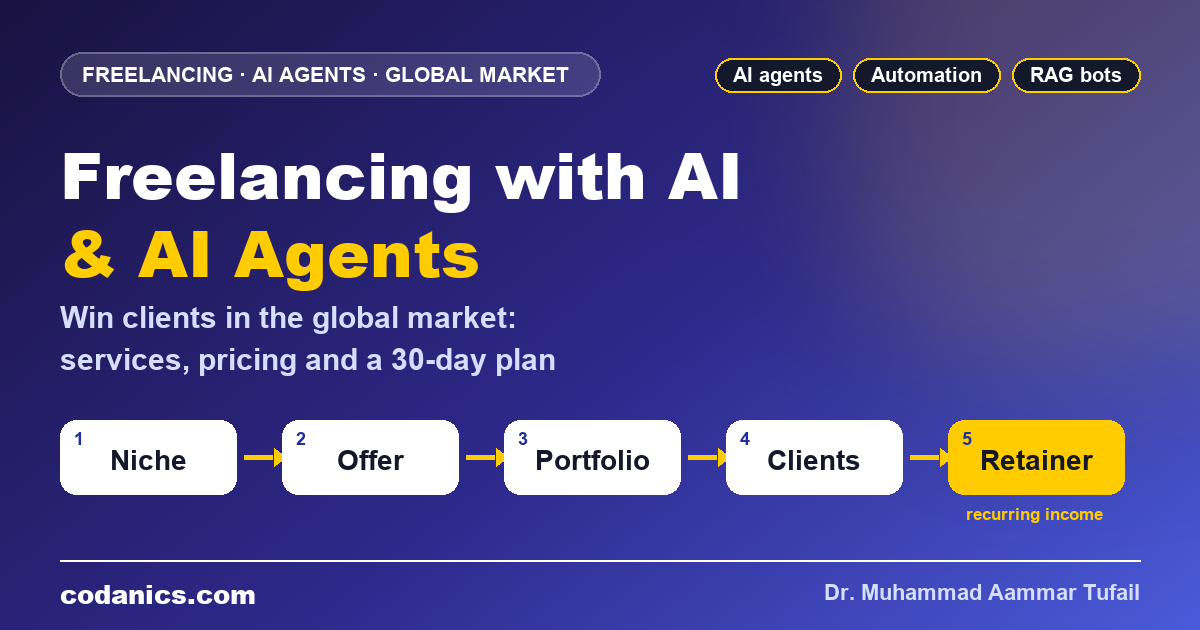
Freelancing with AI and AI Agents in 2026: How to Win Clients in the Global Market
A practical guide to earning from AI in the international market: which AI and AI agent services clients pay for, the skills and tools you need, how to build a portfolio, find clients on Upwork, Fiverr and LinkedIn, price your work, deliver agent projects and get paid, with a 30-day plan to land your first client.
Subscribe on YouTubeTo freelance with AI in the global market, sell business results, not “AI”. Pick one niche, offer two or three clear AI services (for example a document chatbot, a workflow automation or a lead research agent), build three small demo projects, and pitch them on Upwork, Fiverr and LinkedIn with a short video demo. Start with fixed-price first projects, then add monthly retainers for hosting and improvements. Learn Python, LLM APIs and one agent framework to move from AI-assisted gigs to higher-paid AI agent projects.
| What clients buy | Saved time, more leads, faster support and better reports: results that AI makes possible |
|---|---|
| Best-paid skills | AI agents, RAG chatbots, workflow automation and LLM API integration |
| Core tools | Python, Claude or ChatGPT, LLM APIs, n8n or Make, LangGraph, Streamlit, GitHub |
| Where clients are | Upwork, Fiverr, LinkedIn, Contra, communities, referrals and direct outreach |
| Pricing | Fixed-price first projects, then packages and monthly retainers |
| Getting paid from Pakistan | Bank transfer or Payoneer; PayPal does not support receiving payments in Pakistan |
| Time to first client | Often 1–3 months with a clear offer, a portfolio and daily outreach |
A few years ago, a typical freelancer sold time: write this article, design this logo, clean this spreadsheet. Today many clients ask a different question: “Can you make this happen automatically?” A real-estate agency wants every new lead researched and answered within five minutes. A clinic wants a chatbot that answers patients from its own policies. A shop owner in Dubai wants product descriptions in three languages every morning, without hiring three writers.
That shift is the biggest opportunity in freelancing right now. AI makes simple tasks cheaper, so pure “task” work pays less. But businesses everywhere need people who can build, connect and maintain AI systems for them, and most of them do not have that skill in-house. A freelancer in Lahore, Nairobi or Manila can deliver that work to a client in London, Toronto or Sydney.
In this guide I share what I have learned from teaching thousands of students and building AI products such as the Datajin app: which services sell, which skills matter, how to find and win clients, how to price and deliver AI agent projects, and how to get paid safely. If you are new to the topic, start with my guide on what artificial intelligence is.
In this guide
- How AI changed freelancing in the global market
- Three levels of AI freelancing
- 15 AI services clients pay for
- Skills and tools you need
- Choose a niche and design your offer
- Build a portfolio that wins clients
- Where to find global clients
- Proposals and outreach (with templates)
- How to price AI and AI agent projects
- Deliver AI agent projects step by step
- Payments, contracts, taxes and ethics
- Your 30-day plan to the first client
- All 23 videos
- Links and related guides
- Key terms
- FAQ
How has AI changed freelancing in the global market?
AI has made simple, repeatable tasks such as basic writing, translation and data entry cheaper, so those gigs pay less. At the same time it has created strong demand for freelancers who use AI to deliver faster and for those who build AI systems: chatbots, automations and AI agents. Clients now buy outcomes, such as faster replies or more leads, rather than hours of work.
Three changes matter most for you as a freelancer:
- Speed is no longer special. Everyone has ChatGPT and Claude. Being fast is expected; being reliable, accurate and accountable is what clients pay extra for.
- Clients want systems, not one-off tasks. Automations and AI agents keep running after delivery, which turns one project into ongoing income.
- Location matters less than proof. A clear demo video and a GitHub repository convince an overseas client faster than any certificate.


Coming from data science? This session explains the different ways to earn online with data science and AI skills:

- Simple task work is getting cheaper; AI system work is growing.
- Sell results and reliability, not just speed.
- Proof of work beats certificates in the global market.
What are the three levels of AI freelancing?
Level 1 is the AI-assisted freelancer, who uses AI tools to deliver normal services such as writing, design or data analysis faster and better. Level 2 is the automation builder, who connects apps and AI models with tools such as n8n, Make or Python scripts. Level 3 is the AI agent developer, who builds custom agents, RAG chatbots and AI features with Python and LLM APIs. Each level pays more and needs more skill.
You do not have to choose forever. A good path is to earn at Level 1 while you learn Level 2 and 3. For example, a data analyst can sell AI-assisted dashboards today, then offer “automated weekly reports” next month, and “a data analysis agent your team can chat with” after that.

| Level 1: AI-assisted | Level 2: Automation | Level 3: AI agents | |
|---|---|---|---|
| Typical work | Articles, research, slides, data cleaning | Lead routing, email triage, report pipelines | Document chatbots, research agents, AI features in apps |
| Skills | Your craft + prompting + checking AI output | Workflow tools, APIs, basic scripting | Python, LLM APIs, RAG, agent frameworks, deployment |
| Competition | Very high | Medium | Lower |
| Repeat income | Low | Medium: maintenance | High: hosting, monitoring, improvements |

- Level 1 gets you started, Level 3 pays the most.
- Earn at a lower level while you learn the next one.
- Agent projects often turn into monthly retainers.
Which AI and AI agent services can you sell to global clients?
Services that sell well include document chatbots (RAG) for companies, customer support agents, lead research and outreach agents, workflow automation, AI data analysis and reporting, AI content systems, LLM integration into existing apps, and AI training for teams. Choose services that save a client clear time or money and that you can show in a demo.
| Service | What you deliver | Who buys it | Level |
|---|---|---|---|
| Document chatbot (RAG) | Answers staff or customer questions from company PDFs and policies | Clinics, law firms, schools, SaaS | 3 |
| Customer support agent | Drafts or sends replies to emails and chats, hands hard cases to humans | E-commerce, SaaS, agencies | 3 |
| Lead research agent | Finds and enriches leads, writes personalised first messages | Agencies, B2B sales teams, recruiters | 2–3 |
| Email and inbox automation | Sorts, tags and summarises emails, creates tasks | Busy founders, small teams | 2 |
| CRM and form automation | New lead → CRM → AI summary → follow-up email | Real estate, coaches, consultants | 2 |
| AI data analysis and reports | Cleans data, builds dashboards, writes weekly insight summaries | Startups, NGOs, researchers | 1–3 |
| Data analysis agent | Lets a team ask questions about its data in plain language | Startups, analysts, managers | 3 |
| AI content system | Turns one video or article into posts, newsletters and captions | Creators, coaches, brands | 1–2 |
| Multilingual product content | Writes and checks product text in several languages | Online shops, marketplaces | 1–2 |
| Meeting and call summaries | Transcribes calls, extracts tasks, updates the project tool | Agencies, consultants | 2 |
| Document processing | Extracts data from invoices, CVs or forms into spreadsheets | Accounting, HR, logistics | 2–3 |
| LLM integration in apps | Adds AI features such as search, summaries or chat to an existing app | SaaS companies, startups | 3 |
| Research assistant agent | Searches papers or the web and writes cited summaries | Researchers, consultants, students | 3 |
| Prompt and AI workflow setup | Builds prompt libraries and AI workflows for a team | Marketing and ops teams | 1 |
| AI training and consulting | Teaches teams to use AI safely and effectively | Companies, schools, NGOs | 1–3 |
Planning to sell data services? Sharpen the basics with my pandas mastery guide, the data visualisation guide and the Plotly Python tutorial for interactive client dashboards. For research-focused clients, see AI tools for students and academics and my guide to systematic review and meta-analysis.
For more ideas you can turn into services, especially document chatbots, watch these sessions. The two agent sessions include source code you can adapt into your own demos:


- Sell services with a clear, measurable result.
- Document chatbots and automations are strong starting offers.
- Use open-source agent code as a base for your demos.
Which skills and tools do you need for AI freelancing?
You need four groups of skills: your core craft or domain, AI skills (prompt engineering, checking AI output, LLM APIs, RAG and agents), technical skills (Python, APIs, automation tools, Git and deployment) and business skills (English communication, proposals, scoping and pricing). Start with prompting and one automation tool, then learn Python and one agent framework.
| Skill area | What to learn | Why clients care |
|---|---|---|
| Prompt engineering | Clear instructions, examples, output formats, checking results | Reliable output instead of random answers |
| Python | Basics, functions, files, requests, pandas | Needed for custom agents, data work and APIs |
| LLM APIs | Calling Claude or OpenAI from code, tool use, costs and limits | Lets you build AI into any product |
| RAG | Chunking, embeddings, vector databases, citations | Chatbots that answer from the client’s own data |
| Agent frameworks | LangGraph or the Anthropic tool runner, MCP basics | Multi-step agents that use tools |
| Automation tools | n8n, Make or Zapier, webhooks | Fast wins that save hours every week |
| Interfaces and deployment | Streamlit, Docker, a VPS, GitHub | Clients get something they can use, not a notebook |
| Business skills | Written English, discovery calls, scoping, invoices | Trust, clear expectations, repeat work |
My prompt engineering guide covers the first skill, and my RAG tutorial in Python walks you through building a complete document chatbot and RAG agent. These two live sessions show how to build an agent from scratch:


Projects that include machine learning or text analysis need solid foundations too: my scikit-learn mastery guide and NLP with Hugging Face guide cover them, and What is MLOps? explains how to keep a live AI system healthy for your clients.
For the bigger picture of agentic AI, including skills, MCP and agent loops, watch the masterclass:

A lean tool stack to start
- One paid AI assistant (Claude or ChatGPT) for daily work, plus API access for client projects
- VS Code and Claude Code for building and fixing code faster (see my VS Code guide)
- n8n or Make for automations; n8n can be self-hosted, which some privacy-focused clients prefer
- GitHub for your portfolio and for delivering code
- Loom or any screen recorder for demo videos and project updates
- A VPS for hosting client agents (see deploying AI agents on a Hostinger VPS)

- Prompting and one automation tool get you started fast.
- Python, LLM APIs and RAG unlock the best-paid projects.
- Deployment skills turn a demo into a product the client can use.
How do you choose a niche and design an AI service offer?
Pick a niche where you understand the customers and their daily problems, for example clinics, real estate, e-commerce or researchers. Then write an offer with one clear result, a fixed scope, a delivery time and a price: “I build an AI assistant that answers patient questions from your clinic’s policies, live in 10 days.” A narrow offer is easier to market and lets you charge more.
“I do AI” is not an offer. Clients search for solutions to their own problems, in their own words. A specific offer also lets you reuse the same demo, proposal and code for many clients, which makes each project faster and more profitable.
The offer formula
I help [who] get [result] with [AI solution] in [time], without [the pain they fear].
Good niches for AI freelancers
| Niche | Common pain | AI offer |
|---|---|---|
| Real estate agencies | Slow replies to new leads | Lead qualification and instant follow-up agent |
| Clinics and dentists | Repeated patient questions | Policy chatbot with handover to staff |
| E-commerce shops | Product text, support emails, reviews | Content system and support reply agent |
| Recruiters and HR | Hundreds of CVs per job | CV screening and summary pipeline |
| Researchers and universities | Too many papers to read | Research assistant agent with citations |
| Coaches and creators | Not enough time to post everywhere | Content repurposing system |
| Accounting firms | Manual invoice entry | Document extraction into spreadsheets |
- A narrow offer sells better than “I do AI”.
- Use the offer formula: who, result, solution, time, pain removed.
- Choose a niche you understand from your own background.
How do you build an AI freelancing portfolio with no clients?
Build three small demo projects that match your offer, put the code on GitHub, record a two-minute video of each demo working, and write a short case study for each one: the problem, what you built, the tools and the result. Add them to your Upwork, Fiverr and LinkedIn profiles. Demos with realistic sample data are enough to win first clients.
- Pick three demos that match your offer, for example a policy chatbot for a fictional clinic, a lead research agent and an automated weekly report.
- Use realistic sample data. Create fake but believable documents, leads or sales data. Never use real client data without permission.
- Make it usable. Give each demo a simple interface (Streamlit or a web page) so a non-technical client understands it in seconds.
- Record a two-minute video: the problem, the demo working, the result. Show it, do not explain the code.
- Publish the code on GitHub with a clear README, screenshots and setup steps.
- Write a case study for each project using the template below, and add it to every profile.
Copy: portfolio case study template
Project: [Name, e.g. "PolicyBot: AI assistant for a dental clinic"]

Problem
[One or two sentences: who had the problem and what it cost them, e.g. "Front-desk staff spent about 2 hours a day answering the same patient questions."]

Solution
[What you built, in plain words: "An AI assistant that answers questions from the clinic's own policies, cites the source and hands complex cases to staff."]

Tools
[e.g. Python, Claude API, ChromaDB, Streamlit, deployed on a VPS]

Result
[Measured or expected outcome: "Answers 40 test questions correctly with sources; replies in under 5 seconds."]

Demo
[Link to 2-minute video] | [Link to GitHub repo]
New to GitHub? These two videos show how to publish your projects and how students can get premium developer tools for free:


Profile checklist
- Headline with your offer, not your job title: “AI chatbots and automations for clinics | Python, Claude, RAG”
- Professional photo and a short intro video if the platform supports it
- Portfolio items with the demo video as the first thing clients see
- Clear packages with what is included and what is not
- A clear one-page CV for direct clients and agencies; my CV and motivation letter guide shows the structure
- A matching LinkedIn profile; my LinkedIn networking guide shows how to optimise it
- Three focused demos beat ten random projects.
- A two-minute video demo is your strongest sales tool.
- Write every project as a short case study with a result.
Where can AI freelancers find international clients?
Use marketplaces to get first reviews and a professional network for bigger contracts. Upwork is good for detailed client job posts, Fiverr for packaged services that clients buy directly, LinkedIn for direct relationships and higher-value work, and Contra or niche communities for portfolio-led clients. Over time, referrals and direct outreach usually bring the best-paid projects.
| Channel | How it works | Best for | Watch out for |
|---|---|---|---|
| Upwork | Clients post jobs; you send proposals using Connects | Custom AI and automation projects, long contracts | Service fees and paid Connects; check current fees |
| Fiverr | Clients buy your packaged gigs directly | Clear, repeatable services with fixed scope | Fiverr keeps 20% of each order; many low-price competitors |
| Posts, profile and direct messages | Higher-value clients and long-term relationships | Takes consistent posting and real conversations | |
| Contra | Portfolio-first profiles and project listings | Showcasing demos to startups and creators | Smaller client base than the big marketplaces |
| Toptal and similar | Screened networks that match you with clients | Experienced developers | Strict screening; better after you have experience |
| Communities | Discord, Slack, Reddit and industry groups | Meeting founders and getting referrals | Help first; do not spam links |
| Direct outreach | Short, personalised emails or messages to businesses | Your chosen niche, highest margins | Needs research and a strong demo |
In this session I explain where data science and AI students can start earning online and how to choose the right platform:

How to stand out on marketplaces
- Apply early to new jobs that match your niche, and read the full post before replying
- Start small: a short, fixed-price first job with a happy client is worth more than a big risky one
- Ask for a review politely after a successful delivery
- Never move payments off-platform for clients you met on a marketplace; it breaks the terms and removes your payment protection
- Marketplaces for first reviews, LinkedIn for bigger contracts.
- Check each platform’s current fees before you price.
- Referrals and repeat clients become your best source over time.
How do you write proposals that win AI projects?
Keep proposals short and about the client: show you understood their problem in the first line, explain your solution in two or three simple steps, link one relevant demo, suggest a clear first milestone, and end with a question that invites a reply. Never paste the same generic text into every job, and never let AI write the whole proposal without your edits.
Copy: Upwork proposal template
Hi [Name],

You need [restate their goal in one line, e.g. "a chatbot that answers customer questions from your help centre and hands tricky cases to your team"].

Here is how I would do it:
1. [Step 1, e.g. Load your help-centre articles and FAQs into a secure knowledge base]
2. [Step 2, e.g. Build an assistant that answers with links to the source article]
3. [Step 3, e.g. Connect it to your website chat and test it on your 30 most common questions]

I built something similar here: [link to 2-minute demo video]

Suggested first milestone: [small, clear deliverable] in [X] days for [price].

Quick question: [one specific question about their data, tools or goal]?

Best regards,
[Your name]
Copy: LinkedIn or email outreach message
Hi [Name],

I noticed [specific observation, e.g. "your clinic gets many booking questions on Instagram and the website"].

I build AI assistants for [niche] that [result, e.g. "answer common patient questions 24/7 from your own policies and pass complex cases to your staff"].

Here is a 2-minute demo with a sample clinic: [link]

Would it be useful if I made a free mini version with 10 of your real FAQs, so you can see how it would work for you?

[Your name]
[Your one-line offer] | [Portfolio link]
Copy: discovery call questions
1. What problem do you want to solve, and what does it cost you today (time, money, missed leads)?
2. How do you handle it now? Which tools and people are involved?
3. What data or documents would the AI use? Where are they stored? Is any of it confidential?
4. What does success look like in numbers after one month?
5. Who will use the system, and how technical are they?
6. Which tools must it connect to (email, CRM, website, WhatsApp, Google Sheets)?
7. What is your timeline, and who approves the work?
8. What budget have you planned for this project and for monthly running costs (API, hosting)?
- Open with the client’s problem, not your CV.
- Link one relevant demo and propose a small first milestone.
- Use discovery calls to scope work before you quote.
How much should you charge for AI freelancing and AI agent projects?
Price by the value and scope of the result, not by how fast AI lets you work. Use fixed-price packages for first projects, charge separately for discovery or a pilot on bigger jobs, and add a monthly retainer for hosting, monitoring, API management and improvements. Make sure API and hosting costs are clearly paid by the client. Raise your prices as your reviews and case studies grow.
| Pricing model | How it works | When to use |
|---|---|---|
| Hourly | Client pays for tracked hours | Unclear scope, ongoing support, early marketplace jobs |
| Fixed price | One price for a defined deliverable | Clear, well-scoped projects and first-time clients |
| Packages | Starter, Standard and Premium options | Fiverr gigs and repeatable services |
| Paid pilot | Small first phase before the full project | Bigger agent projects with uncertain data |
| Retainer | Monthly fee for hosting, monitoring and improvements | Every live AI system after delivery |
| Value-based | Price linked to the result for the business | Experienced freelancers with proven case studies |
Example package structure for a document chatbot
Up to 50 pages · 1 channel
Chatbot on the client’s documents with source links, simple web interface, 1 revision round.
Up to 500 pages · website chat
Everything in Starter, plus website widget, handover to a human, testing on 50 real questions, 2 revision rounds.
Unlimited sources · integrations
Everything in Standard, plus CRM or helpdesk integration, analytics, team training and 30 days of support.
Monthly retainer
Hosting, monitoring, updating documents, prompt improvements and a monthly usage report.
- Do not compete on price alone. The cheapest offer attracts the most difficult clients. Compete on clarity, proof and reliability.
- Separate running costs. API usage and hosting should be on the client’s own accounts or listed as a separate monthly cost.
- Raise prices step by step after every few successful projects and new reviews.
- Always offer a care plan: AI systems need updates when documents, models or APIs change.
- Price the result and scope, not your hours with AI.
- Fixed-price first projects, then packages and retainers.
- Keep API and hosting costs clearly on the client’s side.
How do you deliver an AI agent project for a client?
Follow a clear process: discovery and written scope, collecting the client’s data, a quick prototype, testing on real examples, refinement, deployment on the client’s accounts, handover with documentation and training, then a monthly care plan. Show progress every few days with a short video, and agree in writing what counts as “done” before you start.
- 1 · DiscoverScopeProblem, data, success metric, written scope
- 2 · PrototypeDemoA working version on sample data in days
- 3 · TestEvaluateReal questions, edge cases, accuracy check
- 4 · DeployLaunchClient accounts, monitoring, limits
- 5 · CareRetainerUpdates, reports, improvements
I teach this whole process in my Build AI Agents course, from turning an idea into a plan to deploying a live agent. These sessions follow it step by step:


Copy: simple scope of work for an AI project
Project: [Name]
Client: [Company]    Freelancer: [Your name]    Date: [Date]

1. Goal
[One sentence describing the business result.]

2. Deliverables
- [e.g. AI assistant that answers questions from up to 300 pages of client documents]
- [e.g. Website chat widget and an admin page to upload new documents]
- [e.g. Setup guide and a 30-minute training call]

3. Out of scope
- [e.g. WhatsApp integration, mobile apps, content writing]

4. Acceptance test
[e.g. Correct, sourced answers to at least 45 of 50 agreed test questions.]

5. Timeline and milestones
- Milestone 1: Prototype on sample data — [date] — [amount]
- Milestone 2: Tested version on client data — [date] — [amount]
- Milestone 3: Deployed and handed over — [date] — [amount]

6. Running costs (paid by the client)
API usage on the client's own account; hosting at [provider] for about [amount]/month.

7. Data and confidentiality
Client data is used only for this project, stored on [location] and deleted from my systems after handover.

8. Revisions and support
[2] revision rounds within scope; [14] days of bug fixes after delivery; ongoing support through the monthly care plan.
Rules that protect you and the client
- Test before you promise. AI can make mistakes. Measure accuracy on real examples and tell the client honestly what it can and cannot do.
- Keep a human in the loop for anything that sends emails, spends money or gives medical, legal or financial answers.
- Use the client’s accounts for APIs, hosting and data, so they own everything and pay usage directly.
- Write documentation: how to run it, update it and what to do if something breaks.
When a client’s data is very sensitive, a local model can keep everything on their own computer or server. This tutorial shows how:

- Agree scope and acceptance tests in writing first.
- Prototype fast, test on real data, then deploy on the client’s accounts.
- Keep humans in the loop for risky actions.
How do you get paid, stay legal and work ethically as an AI freelancer?
Use marketplace payments or milestone-based invoices with an upfront deposit for direct clients, and receive money through a bank account or Payoneer. Use a written contract or scope, protect client data, follow privacy rules such as the GDPR for EU clients, register your freelance income for tax in your country, and be transparent about how you use AI.
| Topic | What to do |
|---|---|
| Getting paid | Marketplaces pay out to your bank or Payoneer. For direct clients, ask for a deposit (for example 30–50%) and use milestones. PayPal does not support receiving payments in Pakistan. |
| Contracts | Use the platform contract on marketplaces. For direct clients, sign a short agreement covering scope, payment, ownership, confidentiality and support. |
| Client data | Sign an NDA if asked, store data securely, use only approved AI tools, and delete data after the project. |
| Privacy laws | EU and UK clients expect GDPR-compliant handling of personal data; ask where data must be stored and processed. |
| Taxes in Pakistan | Receive income through banking channels, file your return, and consider registering with PSEB for the reduced rate on IT export income. Check current FBR rules. |
| Intellectual property | Agree who owns the code and prompts. Usually the client owns the final deliverable once paid; you keep your reusable templates. |
AI ethics checklist for freelancers
- Be transparent about using AI tools when the client asks, or when the contract or platform requires it
- Check every output: facts, code, numbers and citations. You are responsible, not the AI
- Do not put confidential data into AI tools the client has not approved
- Respect copyright and do not generate content that copies other people’s work or brands
- No fake reviews, fake experience or fake results, ever
- Refuse harmful projects, such as spam bots, scams or tools that deceive people
- Use deposits and milestones for direct clients.
- Protect client data and follow privacy laws.
- Be transparent and check every AI output yourself.
What is a 30-day plan to get your first AI freelancing client?
Week 1: choose a niche and write one clear offer. Week 2: build two or three demo projects and record short videos. Week 3: set up Upwork or Fiverr and LinkedIn profiles with your demos and send proposals daily. Week 4: do direct outreach to businesses in your niche, follow up, and deliver your first small project perfectly to earn a review.
- Days 1–7Niche and offer. Pick one niche, list its five biggest time-wasting problems, choose one AI service and write your offer with the formula. Learn or refresh prompting and one automation tool.
- Days 8–14Portfolio. Build two or three demos with realistic sample data, publish them on GitHub, record two-minute videos and write case studies.
- Days 15–21Profiles and proposals. Set up one marketplace and LinkedIn with your offer and demos. Send 3–5 tailored proposals every day and post one LinkedIn update about what you built.
- Days 22–30Outreach and first delivery. Send 10 personalised messages a day to businesses in your niche, offer a small paid pilot, follow up after three days, and deliver your first project with excellent communication. Ask for a review.
Want someone to guide you through these 30 days and beyond? The 6-month AI & Data Science Mentorship Program gives you a structured path, and the free AI & data science roadmap shows what to learn next.
- AI, generative AI, LLMs, RAG and CAG, and what makes AI agentic
- Prompt engineering, tools, RAG vs skills vs MCP, and loop engineering
- Online and local LLMs (Ollama) and choosing the right model
- Claude Code and agentic AI for real project development and deployment
- One niche, one offer, three demos.
- Daily proposals and outreach, measured every day.
- Deliver the first project perfectly and ask for a review.
All 23 videos: AI agents, projects and freelancing skills
- 1How to earn online using Data Science & AI skills in Urdu/HindiLive session · 51:04
- 2How to earn online using Data Science and AI?Live session · 51:04
- 3How to earn using AI tools? #aikachillaShort · 1:29
- 4
- 5Day 12: AI Agent Ideas to Earn Millions | Era of Agentic AILive session · 21:45
- 6Earn Online with RAG & CAG Projects – 10+ AI App IdeasTutorial · 23:36
- 7Day-17: Top 5 AI Agents Built in Python (Source Code & Materials)Live session · 30:04
- 8Day-13: Eleven AI Agents Built with LangGraph (Source Code)Live session · 33:37
- 9
- 10Day-10: How to Build an AI Agent in Python & Claude CodeLive session · 1:07:20
- 11Day-11: Build an AI Agent A-Z with Python & LangGraphLive session · 1:16:50
- 12LLMs & Agentic AI Masterclass: RAG, Skills, MCP & Loop EngineeringLive session · 1:13:35
- 13
- 14git and GitHub crash course in urdu/hindiTutorial · 41:54
- 15Get Premium Tech Tools for FREE! | GitHub Student Developer PackTutorial · 18:31
- 16Day-1: Product Development Using Claude Code & Python | Idea to Business Model CanvasLive session · 1:20:16
- 17Day-2: UI & UX Design for AI Products using Claude CodeLive session · 37:00
- 18Day-7: Build an App Prototype with Claude CodeLive session · 1:10:25
- 19Day-8: Our App Prototype is Ready with Claude CodeLive session · 11:14
- 20Day-9: Use of AI Agents in Data Analytics AppLive session · 1:42:15
- 21Day-14: 4 AI Agents Team Integrated in Datajin AppLive session · 39:39
- 22Day-18: AI Agent Development to Deployment A-Z (Live Example)Live session · 1:02:47
- 23
No videos match. Try another word.
Links and tools
- 1UpworkJob marketplace for custom AI and automation projects
- 2FiverrSell packaged AI services as gigs
- 3LinkedInNetwork, post your work and reach clients directly
- 4ContraPortfolio-first freelance platform
- 5n8nWorkflow automation you can self-host
- 6Claude tool use documentationBuild agents that call your own tools
- 7AI agents source code (GitHub)Ready-made Python agents to adapt for demos
- 8PayoneerReceive international payments
Related guides on Codanics
- 1Python ka Chilla: Build AI AgentsThe course to build agent skills
- 2RAG tutorial in PythonBuild a document chatbot and RAG agent
- 3Deploy AI agents on a Hostinger VPSHost client agents on your own domain
- 4Prompt engineering guideGet reliable output from AI models
- 5LinkedIn networking guideBuild a profile that attracts clients
- 6AI tools for students and academicsUseful tools for research-focused services
- 7Docker for AI developersPackage client projects for deployment
- 8VS Code as your IDESet up your development environment
- 9Web scraping with PythonCollect data for lead research agents
- 10Five Research AI Agents (free book)Agent source code with explanations
- 11Pandas mastery guideData skills for analysis and reporting services
- 12Data visualisation guideCharts and dashboards clients understand
- 13Scikit-learn mastery guideMachine learning foundations in Python
- 14NLP with Hugging FaceText analysis and open models
- 15What is MLOps?Ship and monitor AI systems for clients
- 16CV and motivation letter guideA professional CV for clients and agencies
- 177 AI warnings every kid must knowAI safety explained for families
- 18What is artificial intelligence?The big picture of AI
- 19Free AI & data science roadmapWhere to start if you are new
More AI, data science and career guides on the Codanics blog.
Key terms explained
- AI agent
- Software where a language model plans steps and uses tools, such as search, email or a database, to finish a task.
- LLM (large language model)
- An AI model trained on huge amounts of text that can read and write language, such as Claude or GPT.
- RAG
- Retrieval-augmented generation: the AI first finds relevant passages in your documents, then answers from them.
- Workflow automation
- Connecting apps so tasks run by themselves, for example a new form entry creates a CRM record and sends an email.
- API
- A way for programs to talk to each other. LLM APIs let your code send text to an AI model and get answers back.
- No-code tools
- Tools such as n8n, Make or Zapier that let you build automations by connecting blocks instead of writing code.
- Retainer
- A monthly fee a client pays you for ongoing work, such as hosting, monitoring and improving an AI system.
- Discovery call
- The first meeting with a client to understand their problem, goals, data and budget before you send a quote.
- Scope creep
- When a project slowly grows beyond what was agreed, without more time or money.
- Case study
- A short story of a project: the client's problem, what you built and the measurable result.
- MCP (Model Context Protocol)
- An open standard that lets AI apps connect to tools and data sources in a consistent way.
- Prompt engineering
- Writing clear instructions and examples so an AI model gives reliable, useful output.
Frequently asked questions
Can I start freelancing with AI if I am a beginner?
Yes. Start with AI-assisted services you can deliver today, such as content repurposing, data cleaning or simple automations, while you learn Python and AI agents. Build three small portfolio projects first, then apply for small jobs to collect your first reviews.
Do I need to know coding to sell AI services?
Not for every service. No-code tools such as n8n, Make and Zapier let you build automations without much code. But the best-paid AI agent projects, such as RAG chatbots and custom agents, need Python and API skills, so learning to code raises your income ceiling.
Which AI freelancing services are in demand in the global market?
Common requests are AI chatbots trained on company documents, workflow automation that connects email, CRM and spreadsheets, lead research agents, data analysis and reporting with AI, AI content systems and integrating LLM APIs into existing apps.
Which platform is best for AI freelancers: Upwork, Fiverr or LinkedIn?
Use more than one. Upwork suits clients who post detailed jobs, Fiverr suits clear packaged services, and LinkedIn is best for direct relationships and higher-value contracts. Many freelancers win their first reviews on a platform and their best clients through LinkedIn and referrals.
How much should I charge for an AI agent project?
Price by outcome and scope, not by the hours you think the AI saves you. Start with fixed-price packages for a clearly defined first project, add a monthly retainer for hosting, monitoring and improvements, and raise prices after every few successful projects and reviews.
Is it allowed to use AI tools in freelance work?
Usually yes, but follow each platform's terms and each client's contract. Be open about how you use AI, check every output yourself, never paste confidential client data into tools that are not approved, and never present purely AI-generated work as something else when the client has asked for human-made work.
Will AI replace freelancers?
AI replaces some simple tasks, such as basic writing or translation, but it also creates new work: building, connecting and maintaining AI systems for businesses. Freelancers who use AI to deliver faster and who can build AI solutions are in a stronger position than before.
How do I get paid by international clients from Pakistan?
Platforms such as Upwork and Fiverr pay out to a bank account or a Payoneer account. For direct clients, use a bank transfer to your freelancer or business account, or a Payoneer request. PayPal is not available for receiving money in Pakistan. Check the current fees before you choose.
Do I have to pay tax on freelancing income in Pakistan?
Yes, income from freelancing is taxable. IT export income received through banking channels can qualify for a reduced rate, especially if you register with the Pakistan Software Export Board (PSEB) and file your tax return. Rules change, so check the latest guidance from FBR or a tax adviser.
How long does it take to get the first AI freelancing client?
It varies, but with a clear offer, three portfolio projects and daily outreach, many beginners land a first small project within one to three months. The 30-day plan in this guide gives you a practical schedule.
Who pays for API costs such as OpenAI or Claude usage?
Agree this in writing before you start. The cleanest setup is that the client creates their own API account and you use their key, so usage is billed to them. If you include API costs in your price, estimate them carefully and add a usage limit.
What should be in an AI agent project contract?
The scope and deliverables, what is out of scope, timeline and milestones, payment terms, who owns the code, data privacy and confidentiality, who pays API and hosting costs, a limit on revisions and what support you give after delivery.
No questions match. Try another word.
About the author. Dr. Muhammad Aammar Tufail is the founder of Codanics and completed his PhD in a Marie Skłodowska-Curie programme. He teaches Python, AI agents, NLP, data science and bioinformatics in Urdu and Hindi, and builds AI products such as the Datajin data analytics app.
Follow him on Facebook, Instagram, TikTok and LinkedIn, see his code on GitHub and Kaggle, and his research on Google Scholar and ResearchGate.
Platform fees, payment options and tax rules change often. Information was checked in November 2026; always confirm the latest terms on each platform and with official sources before you decide.
