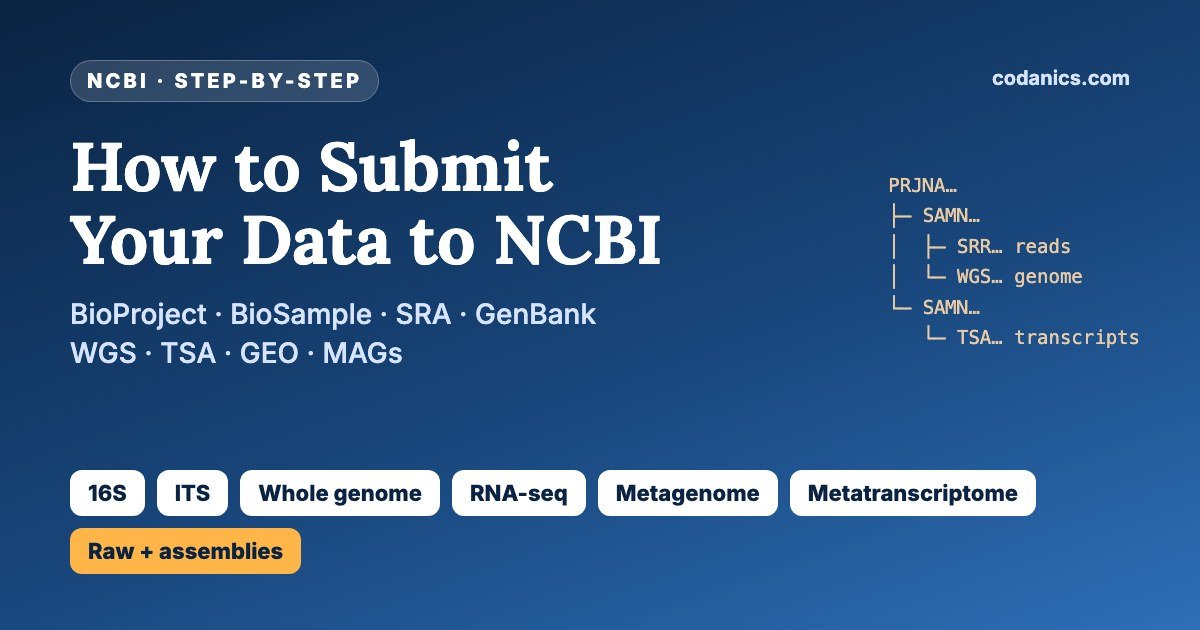
How to Submit Your Sequencing Data to NCBI: The Easy, Complete Guide
16S and ITS amplicons, whole genomes, RNA-seq, metagenomes and metatranscriptomes, as raw reads and as assemblies: where each file goes, which metadata to fill in, how to upload, and how to fix the errors that stop most first submissions.
Open the NCBI Submission Portal →Every NCBI submission follows one pattern. Log in to the Submission Portal, register one BioProject for your study and one BioSample for each biological sample, then submit the data and link it to those records. Raw reads of every type (16S, ITS, genomes, RNA-seq, metagenomes, metatranscriptomes) go to the SRA. Assembled or finished sequences go to GenBank: Sanger 16S/ITS through the rRNA/ITS submission, genome and metagenome assemblies and MAGs to WGS, transcriptome and metatranscriptome assemblies to TSA, and RNA-seq expression data to GEO. Submit the reads first, because assemblies must point to the SRA runs they came from.
| Where to submit | submit.ncbi.nlm.nih.gov (one login for all databases) |
|---|---|
| Always needed | BioProject (PRJNA…) for the study and BioSamples (SAMN…) for the samples |
| Raw reads | SRA: FASTQ or BAM, one set of files per sample, uploaded by FTP or Aspera |
| Assemblies | WGS for genomes, metagenomes and MAGs; TSA for transcriptomes and metatranscriptomes |
| Single sequences | GenBank (rRNA/ITS submission for Sanger 16S, 18S, 28S and ITS) |
| Expression data | GEO (processed data plus metadata; GEO passes the raw reads to SRA) |
| Privacy | Choose a release date; data go public on that date or when the accessions are published |
- Linux command line, Python and R for biologists
- Quality control, assembly and annotation of sequencing data
- Amplicon, genome, transcriptome and metagenome workflows
- Projects, guidance and a community of learners
Almost every journal now asks for a data availability statement with accession numbers, and many reviewers check them. Yet the first NCBI submission confuses nearly everyone I supervise: BioProject or BioSample? SRA or GenBank? Which “package”? What is library_selection? Why did my genome bounce back with a contamination report?
This guide answers those questions for the six data types my students submit most: 16S rRNA, ITS, whole genome sequencing, transcriptomics, metagenomics and metatranscriptomics, both as raw reads and as assemblies. I checked every rule against NCBI’s own documentation (linked throughout), wrote two small Python scripts to prepare metadata and pre-check assemblies, and listed the errors that block most first submissions.
New to sequencing data? Read my metabolomics complete guide for how an omics study is designed, and why learning bioinformatics is essential. Already sure what you have? Jump to the routing table.
In this guide
- How NCBI organizes your data
- Where does each data type go?
- Before you start: account, files and metadata
- Register a BioProject
- Register BioSamples (choose the right package)
- Submit raw reads to SRA
- 16S rRNA and ITS data
- Whole genome sequencing and genome assemblies
- Transcriptomics: GEO, SRA and TSA
- Metagenomics: reads, assemblies and MAGs
- Metatranscriptomics
- After you submit: errors, release and updates
- How to find a project on NCBI (real example)
- Common errors and how to fix them
- Free video courses
- Final checklist
- Official NCBI guides
- Glossary
- FAQ
How does NCBI organize submitted sequencing data?
NCBI separates the description of a study from its data. A BioProject (PRJNA) describes the study, a BioSample (SAMN) describes each biological sample, and the data sit in specialised databases linked to both: SRA for raw reads, GenBank for sequences and assemblies (with WGS and TSA as its divisions for genome and transcriptome assemblies), and GEO for expression data. One BioProject can hold many BioSamples and many data types.
Your whole study: title, aims, funding. One per study (or one per sub-study under an umbrella project).
One biological sample: where and when it was collected, host, environment, isolate or strain.
Raw sequencing reads with quality scores, from every platform and data type.
Finished sequences: 16S, 18S, ITS, genes, organelle and viral genomes.
Genome assemblies: draft and complete genomes, metagenome assemblies, MAGs.
Assembled transcripts from RNA-seq, including metatranscriptome assemblies.
Gene expression and other functional genomics: processed data plus metadata.
Organism names: you choose names such as Escherichia coli or “soil metagenome” from here.
Picture it as a tree. Your BioProject is the trunk; each BioSample is a branch; and every dataset from that sample (16S reads, shotgun reads, a MAG) hangs from the same branch. This is why NCBI keeps repeating one rule: register each sample once and reuse its SAMN accession everywhere.
Accession numbers you will receive
| Prefix | What it is | Cite it? |
|---|---|---|
PRJNA | BioProject | Yes, in papers |
SAMN | BioSample | Yes |
SRP / SRX / SRS / SRR | SRA study / experiment / sample / run | Yes (SRR or the PRJNA) |
Two letters + 6 digits | GenBank sequence, e.g. 16S of an isolate | Yes |
4 or 6 letters + digits | WGS or TSA assembly (master record) | Yes |
GSE / GSM | GEO series / sample | Yes |
SUB1234567 | Temporary submission ID | No: only for contacting NCBI |
- BioProject = study, BioSample = sample, SRA/GenBank/WGS/TSA/GEO = data.
- Register each sample once; reuse the SAMN accession for every data type.
- Cite PRJNA, SRR, GenBank, WGS/TSA and GSE accessions, never SUB numbers.
Where does each type of sequencing data go at NCBI?
Raw reads of every data type go to SRA. Assembled sequences go to the GenBank division that matches them: Sanger 16S and ITS to GenBank through the rRNA/ITS submission, genome assemblies, metagenome assemblies and MAGs to WGS, and transcriptome or metatranscriptome assemblies to TSA. RNA-seq expression studies go to GEO, which forwards the raw reads to SRA.
| Data type | Raw reads (strategy / source / selection) | Assemblies and sequences | BioSample package |
|---|---|---|---|
| 16S rRNA (NGS amplicon) | SRA · AMPLICON / METAGENOMIC / PCR | No GenBank submission for ASVs/OTUs (share as supplementary data) | MIMARKS survey (environment-specific) |
| 16S rRNA (Sanger, isolates or clones) | Optional (traces are rarely submitted) | GenBank rRNA/ITS submission (FASTA) | Not required; use source modifiers |
| ITS (NGS amplicon) | SRA · AMPLICON / METAGENOMIC / PCR | As for 16S | MIMARKS survey |
| ITS (Sanger, fungal isolates) | Optional | GenBank rRNA/ITS submission | Not required |
| Whole genome (isolate) | SRA · WGS / GENOMIC / RANDOM | WGS (draft) or complete genome, via the Genome submission; optional PGAP annotation | Microbe, Pathogen, MIGS, Plant, Model organism… |
| Transcriptomics (RNA-seq) | SRA · RNA-Seq / TRANSCRIPTOMIC / cDNA or PolyA, or via GEO | TSA for de novo assemblies; GEO for counts and expression | Same package as the organism (e.g. Plant, Model organism) |
| Metagenomics (shotgun) | SRA · WGS / METAGENOMIC / RANDOM | WGS: primary metagenome assembly; MAGs as separate WGS genomes | MIMS (reads), MIMAG (each MAG) |
| Metatranscriptomics | SRA · RNA-Seq / METATRANSCRIPTOMIC / RANDOM or cDNA | TSA with a metagenome organism name | MIMS or Metagenome/environmental |
Sources: NCBI SRA Quick Start, Metagenome Submission Guide, WGS and TSA pages. Strategy, source and selection values are SRA controlled vocabulary; pick the one that matches your protocol.
- Reads always go to SRA.
- Assemblies go to WGS (genomes, metagenomes, MAGs) or TSA (transcripts).
- Submit reads first, then assemblies that cite them.
What do you need before starting an NCBI submission?
You need an NCBI account, your files in an accepted format with one set of read files per sample, and the metadata for every sample: organism or metagenome name, collection date, geographic location, isolation source or host, and the library details of how each sample was sequenced. Collecting the metadata is the slowest part, so start with a spreadsheet on day one of your project.
- Create an NCBI account at submit.ncbi.nlm.nih.gov (you can log in with ORCID, Google or an institutional account). If co-workers should see the submission, create a group under your profile.
- Collect raw reads as they came off the sequencer: FASTQ (gzip-compressed is fine) or BAM, demultiplexed so each sample has its own R1 and R2 files.
- Check file names: unique, no spaces or special characters, and matching the names you will type in the metadata sheet exactly, including
.fastq.gz. - Make checksums (
md5sum) so you can prove the files arrived intact. - Fill a sample sheet: sample name, organism, collection date (YYYY-MM-DD), geographic location (“Pakistan: Faisalabad”), latitude and longitude, isolation source or host, and treatment.
- Record the library details: primers and region (e.g. 515F/806R, V4), kit, platform and instrument model, read length, layout (single or paired).
- Decide the release date: immediately, or a future date in line with your planned publication.
# make checksums for every read file (Linux; on macOS use: md5 -r *.fastq.gz > md5.txt)
md5sum *.fastq.gz > md5.txt

# quick check that R1 and R2 of a sample have the same number of reads
echo $(( $(zcat Soil01_R1.fastq.gz | wc -l) / 4 )) $(( $(zcat Soil01_R2.fastq.gz | wc -l) / 4 ))
- Metadata take longer than uploads: start early.
- One set of raw, demultiplexed files per sample.
- File names in the sheet must match the uploaded files exactly.
How do you register a BioProject?
In the Submission Portal choose New submission, then BioProject. Give your contact details, choose the project data type (for example Raw sequence reads, Genome sequencing and assembly, Metagenome or Transcriptome), the sample scope (Monoisolate, Multi-species or Environment), the target organism or metagenome name, and a release date, then write a clear title and description. You receive a PRJNA accession, usually within a few working days.
- Tab 1Submitteryour name, institute and email
- Tab 2Project typedata type and sample scope
- Tab 3Targetorganism, strain or metagenome name
- Tab 4General inforelease date, title, public description
- Tab 5Grantsfunding agency and grant number (optional)
- Tab 6BioSampleadd existing SAMN accessions or skip
- Tab 7PublicationsDOI or PubMed ID if published
- Tab 8Overviewcheck everything, then Submit
| Your study | Project data type | Sample scope |
|---|---|---|
| 16S or ITS amplicon survey | Raw sequence reads (or Targeted locus/loci) | Environment |
| Genome of one bacterial isolate | Genome sequencing and assembly | Monoisolate |
| RNA-seq of a plant or animal | Transcriptome or gene expression | Monoisolate or Multi-isolate |
| Shotgun metagenome or metatranscriptome | Metagenome (or Raw sequence reads) | Environment |
| Many genomes of one species | Genome sequencing and assembly | Multi-isolate |
- One BioProject per study.
- Choose data type and sample scope honestly; NCBI may correct them.
- The release date of the BioProject controls its linked BioSamples and SRA data.
How do you register BioSamples and choose the right package?
Create one BioSample for each biological sample, not for each file or each sequencing run. Choose the package that matches the sample: MIMARKS survey for amplicon studies of environmental or host samples, MIMS for shotgun metagenomes, MIGS or Microbe for cultured isolates, Pathogen for clinical or food isolates, MIMAG for each MAG, and Plant, Model organism or Human for those organisms. Then download the package’s Excel template, fill one row per sample and upload it.
| Sample type | BioSample package | Organism name |
|---|---|---|
| 16S / ITS amplicon survey | MIMARKS: survey-related, with the environment (soil, water, host-associated, human-gut…) | “soil metagenome”, “rhizosphere metagenome” |
| Sanger 16S / ITS of an isolate | Usually none (GenBank source modifiers); or Microbe if reads/genomes follow | Species or genus name |
| Bacterial or archaeal isolate genome | Microbe, or MIGS bacteria/archaea (GSC standard) | Species name + strain |
| Clinical, food or environmental pathogen | Pathogen: clinical or host-associated / environmental, food | Species name + strain |
| Plant, animal or fungus (genome, RNA-seq) | Plant, Model organism or animal, Invertebrate, Microbe (fungi) | Species name + cultivar, breed or isolate |
| Shotgun metagenome or metatranscriptome | MIMS: metagenome/environmental, with the environment; or Metagenome or environmental | “gut metagenome”, “marine metagenome” |
| Metagenome-assembled genome | MIMAG (one BioSample per MAG) | Lowest reliable taxon, e.g. “Bacillus sp.” |
| Single-cell genome / virus from metagenome | MISAG / MIUViG | Taxon name |
Package names from the BioSample packages list; metagenome naming from the Metagenome Submission Guide.
The fields that cause most errors
- sample_name: unique within your whole NCBI account, and the same name you will use in the SRA sheet.
- organism: must exist in NCBI Taxonomy. For environmental DNA use a metagenome name such as “soil metagenome”, never “uncultured bacterium” or a list of taxa.
- collection_date: ISO format such as 2025-03-14, 2025-03 or 2025. If truly unknown use “missing”, “not collected” or “not applicable”.
- geo_loc_name: “Country: region, place”, e.g. “Pakistan: Punjab, Faisalabad”.
- lat_lon: decimal degrees with hemisphere letters: “31.42 N 73.08 E”.
- Duplicate rows: two samples with identical attributes are rejected. Add a distinguishing attribute such as replicate, plot or time point.
Need a reminder of ISO dates and tidy spreadsheets? My pandas mastery guide shows how to clean a sample sheet in Python.
- One BioSample = one biological sample.
- Pick the package that matches the sample, not the sequencing method.
- Metagenome names for environmental DNA; real taxa for isolates.
How do you submit raw sequencing reads to the SRA?
Start a new SRA submission in the Submission Portal, link it to your BioProject and BioSamples (or create them in the wizard), fill the SRA metadata sheet with one row per library (sample, strategy, source, selection, layout, platform, instrument and file names), upload the files by FTP or Aspera into a submission folder in your account, select that folder in the wizard, review and click Submit. SRA validates the files and sends accessions or error messages, usually within one to a few days.
- Tab 1Submittercontact details; optionally a group
- Tab 2General info“Yes” if BioProject and BioSamples already exist; release date
- Tab 3–5Project and samplesonly if you did not register them first
- Tab 6SRA metadataone row per experiment; online editor or Excel template
- Tab 7Files“I have all files preloaded”, then select your folder
- Tab 8Overviewcheck, click Submit, confirm the status changed
Wizard tabs from NCBI’s SRA Submission Portal guide.
The SRA metadata values for each data type
| Data | library_strategy | library_source | library_selection | library_layout |
|---|---|---|---|---|
| 16S / ITS amplicon | AMPLICON | METAGENOMIC | PCR | paired |
| Isolate genome | WGS | GENOMIC | RANDOM | paired (Illumina) or single (Nanopore, PacBio) |
| RNA-seq | RNA-Seq | TRANSCRIPTOMIC | cDNA, PolyA or RANDOM | paired or single |
| Shotgun metagenome | WGS | METAGENOMIC | RANDOM | paired |
| Metatranscriptome | RNA-Seq | METATRANSCRIPTOMIC | RANDOM or cDNA | paired |
filename (R1) and filename2 (R2).Typing 96 rows by hand is how mistakes happen. This script reads a folder of paired FASTQ files, recognises common Illumina names (Sample_S1_L001_R1_001.fastq.gz, Sample_R1.fastq.gz, Sample_1.fastq.gz), flags samples with a missing mate, and writes a draft sheet you can paste into the SRA template:
# make_sra_metadata.py: build the SRA metadata sheet from a folder of paired FASTQ files
# pip install pandas openpyxl
# Usage: python make_sra_metadata.py reads/ --strategy AMPLICON --source METAGENOMIC --selection PCR
import argparse
import hashlib
import re
from pathlib import Path

import pandas as pd

p = argparse.ArgumentParser()
p.add_argument("folder")
p.add_argument("--strategy", default="AMPLICON")      # AMPLICON, WGS, RNA-Seq, ...
p.add_argument("--source", default="METAGENOMIC")     # GENOMIC, TRANSCRIPTOMIC, METAGENOMIC, METATRANSCRIPTOMIC
p.add_argument("--selection", default="PCR")          # PCR, RANDOM, cDNA, PolyA, ...
p.add_argument("--platform", default="ILLUMINA")
p.add_argument("--model", default="Illumina MiSeq")
p.add_argument("--title", default="16S rRNA V3-V4 amplicon sequencing")
args = p.parse_args()

# match sample_R1.fastq.gz / sample_R2.fastq.gz (also _1/_2 and Illumina _S1_L001_R1_001)
pat = re.compile(r"^(?P<sample>.+?)(?:_S\d+)?(?:_L\d{3})?_R?(?P<read>[12])(?:_001)?\.f(?:ast)?q\.gz$")
pairs = {}
for f in sorted(Path(args.folder).iterdir()):
    m = pat.match(f.name)
    if m:
        pairs.setdefault(m["sample"], {})[m["read"]] = f

def md5(path):
    h = hashlib.md5()
    with open(path, "rb") as fh:
        for chunk in iter(lambda: fh.read(1 << 20), b""):
            h.update(chunk)
    return h.hexdigest()

rows, problems = [], []
for sample, reads in pairs.items():
    if set(reads) != {"1", "2"}:
        problems.append(f"{sample}: missing R1 or R2")
        continue
    rows.append({
        "sample_name": sample,                 # must match the sample_name in your BioSample sheet
        "library_ID": f"{sample}_lib",
        "title": f"{args.title}: {sample}",
        "library_strategy": args.strategy,
        "library_source": args.source,
        "library_selection": args.selection,
        "library_layout": "paired",
        "platform": args.platform,
        "instrument_model": args.model,
        "design_description": "Describe primers, kit and protocol here",
        "filetype": "fastq",
        "filename": reads["1"].name,
        "filename2": reads["2"].name,
        "md5_R1": md5(reads["1"]),             # keep for your records; not part of the template
        "md5_R2": md5(reads["2"]),
    })

df = pd.DataFrame(rows)
df.to_excel("sra_metadata_draft.xlsx", index=False)
print(f"{len(df)} paired samples written to sra_metadata_draft.xlsx")
for msg in problems:
print("CHECK:", msg)pip install pandas openpyxl
python make_sra_metadata.py reads/ --strategy AMPLICON --source METAGENOMIC --selection PCR \
--model "Illumina MiSeq" --title "16S rRNA V3-V4 amplicon sequencing"Root01, Soil01, Soil02, with the right R1/R2 file pairs) and printed CHECK: Leaf01: missing R1 or R2. Tested on 9 November 2026 with Python 3.13 and pandas 2.2. Copy the columns into the official template; delete the two md5 columns, which are for your own records.Upload the files: FTP or Aspera
For more than a few small files, pre-load them before you reach the Files tab. In the wizard (or the portal’s “My submissions → FTP/Aspera upload” page) NCBI shows your personal account folder and credentials. Create a new sub-folder for each submission inside it; files left directly in the account folder, or in nested folders, will not show up. Wait 10–15 minutes after the upload finishes, then click Select preload folder.
# host and password are shown in the Submission Portal; the folder name is personal to you
lftp -u subftp,YOUR_PASSWORD ftp-private.ncbi.nlm.nih.gov
cd uploads/your.email_AbCd1234
mkdir soil16S_2026
cd soil16S_2026
mput *.fastq.gz
bye
# download the key file from the portal first; -d creates the destination folder
ascp -i aspera.openssh -QT -l100m -k1 -d reads/ \
  subasp@upload.ncbi.nlm.nih.gov:uploads/your.email_AbCd1234/soil16S_2026
Aspera options from NCBI’s file upload guide: -Q adaptive speed, -T no encryption, -k1 resume an interrupted transfer, -l100m maximum 100 Mbps. Aspera needs TCP port 22 and UDP port 33001 open; if your university firewall blocks them, use FTP. FileZilla also works for FTP: type your account folder into the “Remote site” box, or you will see “550 Permission denied”.
Never used a terminal before? lftp, ascp, md5sum and zcat are everyday Linux commands. My free Linux series takes you from your first command to running bioinformatics tools on a server:
A complete beginner-to-expert Linux series for data science and bioinformatics, in Urdu: the command-line skills you need to prepare, check and upload sequencing files.
- One metadata row per experiment; file names must match exactly.
- Pre-load large uploads by FTP or Aspera into a new sub-folder.
- Wait at least 24 hours before asking SRA about a submission.
How do you submit 16S rRNA and ITS sequencing data?
It depends on how you sequenced. Next-generation amplicon reads (Illumina MiSeq, NovaSeq, PacBio or Nanopore amplicons) are raw reads: submit them to SRA with library strategy AMPLICON, source METAGENOMIC, selection PCR and a MIMARKS survey BioSample per sample. Sanger sequences of isolates or clones are finished sequences: submit them to GenBank through the rRNA/ITS option of the Submission Portal as a FASTA file with source information.
A. Amplicon sequencing (MiSeq and similar) → SRA
- BioProject: data type Raw sequence reads, scope Environment.
- BioSamples: MIMARKS survey package for your environment (soil, water, plant-associated, human-gut…), organism such as “soil metagenome” or “rhizosphere metagenome”, one row per sample.
- SRA metadata:
AMPLICON / METAGENOMIC / PCR, paired layout, and indesign_descriptionthe target region and primers (for example “16S V3–V4, 341F/805R” or “ITS2, ITS3/ITS4”), PCR conditions and kit. - Upload the demultiplexed raw FASTQ files (before primer removal, quality filtering or merging) and submit.
library_ID and files, for example Soil01_16S and Soil01_ITS.What about ASVs and OTUs? GenBank does not accept consensus sequences, and ASV or OTU representatives are computed from many reads rather than sequenced as single molecules, so they do not belong in GenBank. Deposit the reads in SRA and share the ASV table, representative sequences and taxonomy as supplementary files or in a repository such as Zenodo or Figshare, citing the PRJNA.
B. Sanger 16S, 18S, 28S or ITS sequences → GenBank
- In the portal choose New submission → GenBank and the sequence type Ribosomal RNA (rRNA), rRNA-ITS or ITS.
- Say whether the sequences come from cultured isolates or from uncultured organisms (clones from environmental DNA, named “uncultured bacterium”, “uncultured fungus” and so on).
- Upload a FASTA file. Trim primers and low-quality ends; each sequence must be at least 200 bp, without leading or trailing Ns.
- Give source information for each sequence, either in the FASTA definition line or as a table: organism, strain or isolate, isolation source, host, location and collection date.
- Choose the gene or region (for example 16S ribosomal RNA, or ITS1, 5.8S rRNA and ITS2 complete), the sequencing technology and the release date, then submit.
>TH07 [organism=Trichoderma harzianum] [strain=TH-07] [isolation_source=wheat rhizosphere soil] [geo_loc_name=Pakistan: Faisalabad] [collection_date=2025-03-14]
TCCGTAGGTGAACCTGCGGAGGGATCATTACCGAGTTTACAACTCCCAAACCCAATGTGAACGTTACCAAACTGTTGCCTCGGCGGG...
>BS12 [organism=Bacillus subtilis] [strain=BS-12] [isolation_source=maize root] [geo_loc_name=Pakistan: Lahore] [collection_date=2025-04-02]
AGAGTTTGATCCTGGCTCAGGACGAACGCTGGCGGCGTGCCTAATACATGCAAGTCGAGCGGACAGATGGGAGCTTGCTCCC...
GenBank does not accept sequences shorter than 200 bp for these submissions, and the portal checks that each sequence really is the rRNA or ITS region you declared, so a mislabelled 18S in a 16S batch stops the submission. Older GenBank pages call the location field country; newer records use geo_loc_name. Accessions usually arrive within a few working days.
- NGS amplicons → SRA (AMPLICON / METAGENOMIC / PCR, MIMARKS survey).
- Sanger 16S/ITS → GenBank rRNA/ITS submission, ≥200 bp, with source details.
- ASV/OTU tables go in supplementary data or a repository, not GenBank.
How do you submit whole genome sequencing reads and genome assemblies?
Submit the raw reads to SRA (WGS, GENOMIC, RANDOM) and the assembly through the Genome submission in the Submission Portal, linked to the same BioProject and BioSample. Draft assemblies go to the WGS division; complete genomes list each chromosome and plasmid. Contigs must be at least 200 bp, must not start or end with N and must be free of adapters and contaminants. For bacteria and archaea you can ask NCBI’s PGAP to annotate the genome.
Prepare the assembly
- Remove contigs shorter than 200 bp (unless they are part of a scaffold) and trim Ns from the ends.
- Screen for contamination: NCBI runs its Foreign Contamination Screen (FCS-GX) on new genome submissions. Run FCS-adaptor and FCS-GX yourself first and remove what they flag; it saves weeks of back-and-forth.
- Check quality: completeness and contamination with CheckM2 or BUSCO, and assembly statistics (N50, number of contigs).
- Write one FASTA file per genome with simple, unique contig IDs such as
contig_1. - Know your assembly details: assembler and version, coverage and sequencing technologies. They go into the required Genome-Assembly-Data structured comment.
Most submission errors are simple things a script can catch. This checker reports sequences shorter than 200 bp, Ns at the ends, long N runs, duplicate or overlong IDs and non-nucleotide characters, and prints the N50:
# check_assembly_fasta.py: catch the errors that stop WGS/TSA submissions before you upload
# No extra packages needed (standard Python 3). Works with .fasta, .fa, .fsa and .gz files.
# Usage: python check_assembly_fasta.py assembly.fasta
import gzip
import re
import sys

path = sys.argv[1]
opener = gzip.open if path.endswith(".gz") else open
records, name, chunks = [], None, []
with opener(path, "rt") as fh:
    for line in fh:
        line = line.strip()
        if line.startswith(">"):
            if name is not None:
                records.append((name, "".join(chunks).upper()))
            name, chunks = line[1:].split()[0], []
        elif line:
            chunks.append(line)
if name is not None:
    records.append((name, "".join(chunks).upper()))

errors, seen, total = [], set(), 0
for rid, seq in records:
    total += len(seq)
    if rid in seen:
        errors.append(f"{rid}: duplicate ID")
    seen.add(rid)
    if len(rid) > 50:
        errors.append(f"{rid}: ID longer than 50 characters")
    if len(seq) < 200:
        errors.append(f"{rid}: only {len(seq)} bp (minimum is 200 bp)")
    if seq.startswith("N") or seq.endswith("N"):
        errors.append(f"{rid}: starts or ends with N (trim them)")
    if re.search(r"[^ACGTNRYSWKMBDHV]", seq):
        errors.append(f"{rid}: contains characters that are not nucleotides")
    n_runs = [len(r) for r in re.findall(r"N+", seq)]
    if seq and seq.count("N") / len(seq) > 0.10:
        errors.append(f"{rid}: more than 10% N (TSA limit)")
    if n_runs and max(n_runs) > 14:
        errors.append(f"{rid}: run of {max(n_runs)} Ns (needs an assembly_gap; in TSA, split it)")

lengths = sorted((len(s) for _, s in records), reverse=True)
acc, n50 = 0, 0
for L in lengths:
    acc += L
    if acc >= total / 2:
        n50 = L
        break
print(f"{len(records)} sequences, {total:,} bp in total, N50 = {n50:,} bp")
print("\n".join(errors) if errors else "No blocking problems found. Still run FCS-GX before you submit.")python check_assembly_fasta.py my_genome.fasta
5 sequences, 7,073 bp in total, N50 = 5,000 bp and flagged all four planted problems: a contig starting with N, a 150 bp contig, a run of 20 Ns and a duplicate ID. Tested on 9 November 2026 with Python 3.13.# FCS-adaptor: adapters and vectors (Docker or Singularity image from github.com/ncbi/fcs)
./run_fcsadaptor.sh --fasta-input my_genome.fasta --output-dir ./adaptor_out --prok
# FCS-GX: sequences from other organisms; --tax-id is your organism's NCBI taxid
python3 fcs.py screen genome --fasta my_genome.fasta --out-dir ./gx_out \
--gx-db "$GXDB_LOC/gxdb" --tax-id 1423FCS-GX needs a large database and a lot of memory, so many labs run it on a server or skip it and let NCBI run it after submission. Commands from the FCS wiki; FCS-GX is described in Astashyn et al., Genome Biology 2024.
Submit the genome
- Choose New submission → Genome. Say whether the assembly is a draft (WGS) or complete, whether it is from one organism or a MAG, and whether you want PGAP annotation (bacteria and archaea only).
- Link the BioProject and BioSample, enter the assembly method, version, coverage and sequencing technology, and upload the FASTA.
- For a complete genome, assign each sequence: chromosome, plasmid (with its name) and whether it is circular, either in the portal table or in the FASTA definition line, e.g.
>chr1 [location=chromosome] [topology=circular] [completeness=complete]and>p1 [plasmid-name=pBS12] [topology=circular] [completeness=complete]. - Many genomes at once: the batch option takes up to 400 assemblies, one row each.
- Annotation you made yourself (for example with Prokka or Bakta) goes in through
table2asn; it needs a locus_tag prefix, which NCBI assigns when the BioSample is registered for an annotated genome.
From NCBI’s WGS page and genomes FAQ: sequences shorter than 200 bp are not accepted unless in scaffolds; sequences cannot begin or end with N; unannotated or PGAP-annotated genomes need at least two weeks to process and annotated genomes at least a month. Complete organelle and viral genomes are ordinary GenBank submissions, not WGS.
- Reads to SRA; assembly via the Genome submission, linked to the same BioSample.
- Clean first: ≥200 bp, no end Ns, no adapters, FCS-GX for contamination.
- PGAP can annotate bacterial and archaeal genomes for you.
Where do you submit RNA-seq and transcriptome data: GEO, SRA or TSA?
Use GEO for gene expression studies: upload the raw FASTQ files, processed data such as a count matrix and a metadata spreadsheet, and GEO creates the BioProject, BioSamples and SRA records for you. Use SRA directly when you only have raw reads, for example for a de novo transcriptome. Submit de novo transcriptome assemblies, such as Trinity contigs, to TSA after the reads are in SRA.
Submitting a transcriptome assembly to TSA
- Submit the raw reads to SRA first; TSA requires the SRR, BioProject and BioSample accessions.
- Clean the assembly: remove sequences shorter than 200 nt, trim end Ns, split sequences at gaps of unknown length, and make sure no sequence has more than 10% Ns or more than 14 Ns in a row.
- Remove contaminants and sequencing primers (FCS-GX and FCS-adaptor), because the portal stops submissions with hits to NGS primers.
- Name the file with the
.fsasuffix, give each transcript a short unique ID, and add[moltype=transcribed_RNA]to the definition lines; or build a.sqnfile withtable2asn. - Submit through the TSA option of the Submission Portal with the assembly method and version (for example “Trinity v2.15.1”).
# add moltype to every header and keep IDs short and unique
awk '/^>/{print ">contig" ++i " [moltype=transcribed_RNA]"; next}{print}' Trinity.fasta > transcripts.fsa

# optional: build and validate a .sqn file (template.sbt is made with NCBI's online template tool)
table2asn -t template.sbt -i transcripts.fsa -Y comment.txt -M t -V v
TSA rules from NCBI’s TSA page and TSA Submission Guide. Sequences under 200 nt stop the submission in the portal. Rename the awk output IDs back to your own if you need to trace contigs to your analysis.
- Expression study → GEO (it sends reads to SRA).
- Reads only → SRA; de novo assembly → TSA.
- TSA: ≥200 nt, ≤10% N, no run of more than 14 Ns, no primers.
How do you submit shotgun metagenomes, metagenome assemblies and MAGs?
Shotgun reads go to SRA (WGS, METAGENOMIC, RANDOM) with a MIMS or Metagenome/environmental BioSample per sample named like “soil metagenome”. An assembly of the whole community can be submitted as a WGS project under the same metagenome name, without contigs shorter than 200 bp. Each metagenome-assembled genome (MAG) is submitted as its own genome with its own MIMAG BioSample, a derived_from link to the SRA runs, and must be at least 90% complete by CheckM or CheckM2 and at least 100,000 bp long.
1. Raw reads
BioProject type Metagenome, scope Environment; one MIMS BioSample per sample with a metagenome organism name from NCBI Taxonomy; SRA values WGS / METAGENOMIC / RANDOM. If the sample is human-associated, remove human reads first.
2. Primary metagenome assembly
The assembled contigs of the whole community (for example from MEGAHIT or metaSPAdes) can be submitted through the Genome submission as a WGS project with the metagenome name. Leave out contigs shorter than 200 bp, and join contigs with Ns only where there is linkage evidence; random concatenation is not allowed.
3. Metagenome-assembled genomes (MAGs)
- Check the bins: each MAG must represent one organism, be at least 90% complete with CheckM or CheckM2, and total at least 100,000 bp. Use only sequences you generated, not public ones.
- Ask for organism names first: email genomes@ncbi.nlm.nih.gov a table of your MAG isolate names and proposed names or unmodified GTDB lineages before you register BioSamples.
- Register one BioSample per MAG with the MIMAG package: a stable
isolatesuch asMAG001,sample_type= “metagenomic assembly”, the same location and date as the source sample, andderived_fromlisting the SRA runs used, separated by commas. - Add the reads to each FASTA header, e.g.
>MAG001_c1 [SRA=SRR123,SRR124]. - Submit through the Genome submission, one row per MAG in batch mode (up to 400 per batch). PGAP can annotate prokaryotic MAGs if you ask.
sample_name	organism	isolate	sample_type	derived_from	geo_loc_name	collection_date	env_broad_scale	completeness_score	contamination_score
MAG001	Bacillus sp.	MAG001	metagenomic assembly	SRR29000001,SRR29000002	Pakistan: Faisalabad	2025-03-14	terrestrial biome	96.4	1.2
MAG002	Streptomyces sp.	MAG002	metagenomic assembly	SRR29000001	Pakistan: Faisalabad	2025-03-14	terrestrial biome	91.8	2.7
MAG rules from NCBI’s genomes FAQ, which takes priority over older metagenome pages. Bins that are small, BLAST-only or without organism information can instead be submitted as one WGS project under the metagenome name, with bin details as notes. Contact NCBI before submitting 5,000 or more MAGs. The MIMAG standard: Bowers et al., Nat Biotechnol 2017.
- Reads → SRA with MIMS BioSamples and metagenome names.
- Whole-community assembly → WGS under the metagenome name.
- Each MAG → own MIMAG BioSample, ≥90% complete, ≥100 kb, derived_from SRR.
How do you submit metatranscriptomics data?
Submit metatranscriptome reads to SRA with strategy RNA-Seq, source METATRANSCRIPTOMIC and selection RANDOM or cDNA, using the same MIMS or Metagenome/environmental BioSamples as the matching metagenomes when they come from the same samples. Assembled metatranscriptomes go to TSA with a metagenome organism name such as “soil metagenome” and the usual TSA checks. Processed expression tables can additionally go to GEO.
- Same sample, same BioSample: if you extracted DNA and RNA from the same soil core, the metagenome and metatranscriptome are two SRA experiments on one BioSample.
- Raw reads, not rRNA-depleted output: upload the reads as sequenced; describe rRNA depletion (wet lab or in silico) in
design_description. - Assemblies to TSA: use the metagenome name, remove contaminants with FCS-GX, split large assembly files, and follow the TSA rules in Section 9.
- Functional tables (KEGG or gene counts) are not accepted by SRA or TSA; share them in GEO, supplementary files or a repository.
From NCBI’s Metagenome Submission Guide (“metagenomic transcriptomes can be submitted to GenBank following the TSA guide”) and the TSA Submission Guide.
- Reads: RNA-Seq / METATRANSCRIPTOMIC / RANDOM or cDNA.
- Reuse the metagenome’s BioSample for the same sample.
- Assemblies → TSA with a metagenome name.
What happens after you submit, and how do release dates work?
After you click Submit, the submission is queued, validated and processed, and you receive emails with accession numbers or questions. Fix problems on the same submission with the Fix or Upload button. Data stay private until the release date you chose or until the accessions are published, whichever comes first. Changing the BioProject’s release date changes it for all linked BioSamples and SRA data.
| Status | What it means | What to do |
|---|---|---|
| Queued / Submitted | Waiting for automatic checks or staff review | Wait; SRA asks for at least 24 hours before you write |
| Processing | Files are being unpacked and validated; accessions may be assigned | Nothing yet |
| Error / Action required | A file or metadata problem stopped processing | Read the message, correct, use Fix on the same SUB |
| Processed | Done; private until the release date | Copy the accessions into your manuscript |
| Released | Public in Entrez (up to about 3 days to be searchable) | Check your public records |
Write your data availability statement
The raw sequencing reads generated in this study have been deposited in the NCBI Sequence Read Archive under BioProject accession PRJNA123456 (BioSamples SAMN38000001–SAMN38000024). The draft genome of Bacillus subtilis BS-12 is available in GenBank under accession JBXXXX000000000, and the metagenome-assembled genomes under BioSamples SAMN38000101–SAMN38000135.
- Change a release date: in the portal, open the BioProject in the SRA data interface and edit it, as long as it is not yet public.
- Add more data later: start a new submission and reuse the same BioProject and BioSamples.
- Correct a public record: email the database (sra@, gb-admin@ or genomes@ncbi.nlm.nih.gov) with the accession; a new genome assembly becomes version 2 and replaces version 1.
Writing up your study? My guides on AI tools for scientific writing and conference posters help you present the results behind these accessions.
- Fix errors on the same SUB; never resubmit as new.
- Release on your date or on publication, whichever comes first.
- Reuse BioProject and BioSamples when you add data later.
How do you find and explore a BioProject on NCBI?
Type the accession, for example PRJNA1455430, into the search box on ncbi.nlm.nih.gov or open ncbi.nlm.nih.gov/bioproject/PRJNA1455430 directly. The BioProject page shows the title, description, data type and submitter, and a Project Data table that links to every BioSample, SRA run and genome assembly in the project. To find projects by topic, search the BioProject database with keywords and field tags such as Bacteroides[Organism]. Your own records become searchable once they are released, which can take up to about three days.
Four ways to search
- By accession: paste
PRJNA…,SAMN…,SRR…or an assembly accession (GCA_…) into the NCBI search box with “All Databases” selected, or go straight toncbi.nlm.nih.gov/bioproject/PRJNA…. - By topic: in the BioProject database, combine keywords and field tags, for example
Bacteroides[Organism] AND hybrid assembly, then narrow the results with the filters on the left (project type, data type, organism). - By runs: the SRA Run Selector lists every run of a project in one table with read counts, platforms and sample attributes, and exports the accession list for download tools.
- Your own submissions: unreleased records are not searchable. Find them under My submissions in the Submission Portal instead.
Real example: PRJNA1455430, 18 hybrid-assembled gut bacteria
Open PRJNA1455430. It is a public project from Christian-Albrechts-University of Kiel: “Hybrid genome assemblies of Bacteroidota isolates uncover mobile genetic elements, antimicrobial resistance genes, and novel antimicrobial peptides”. The researchers sequenced 18 Bacteroidales strains isolated from mouse caeca, human faeces and tortoise stool, each with Illumina short reads and Oxford Nanopore long reads, and combined them into highly contiguous hybrid assemblies. It is a textbook example of Sections 4 to 8 of this guide.
| Accession | PRJNA1455430 (registered 20 April 2026) |
|---|---|
| Data type | Genome sequencing (objectives: raw sequence reads and assembly) |
| Scope | Multispecies: six species of Bacteroides and Phocaeicola |
| BioSamples | 18 (SAMN57365447 to SAMN57365464), one per strain, Microbe package |
| SRA | Study SRP693156: 36 runs = 18 Illumina NovaSeq 6000 (paired) + 18 Oxford Nanopore GridION (single) |
| Assemblies | 18 GenBank genomes (GCA_062074989.1 to GCA_062075007.1): 3 complete genomes and 15 contig-level drafts |
| Nucleotide | 21 records: 18 WGS master records plus 3 complete chromosomes (CM206177 to CM206179) |
How the records connect: one strain, end to end
| BioSample | Strain | Source | SRA runs (Illumina · Nanopore) | Assembly | Level |
|---|---|---|---|---|---|
| SAMN57365448 | Bacteroides caecimuris 241156E | mouse cecum | SRR38187867 · SRR38187857 | GCA_062075006.1 | Complete |
| SAMN57365457 | Bacteroides xylanisolvens 241166E | human stool | SRR38187866 · SRR38187847 | GCA_062074994.1 | Complete |
| SAMN57365458 | Bacteroides xylanisolvens 241167E | human stool | SRR38187865 · SRR38187846 | GCA_062074996.1 | Complete |
| SAMN57365449 | Bacteroides ovatus 241158E | human stool | SRR38187856 · SRR38187855 | GCA_062075005.1 | Contig |
| SAMN57365455 | Phocaeicola sartorii 241164E | mouse cecum | SRR38187834 · SRR38187849 | GCA_062074998.1 | Contig |
| SAMN57365464 | Bacteroides fragilis 241173E | tortoise stool | SRR38187859 · SRR38187839 | GCA_062074990.1 | Contig |
Six of the 18 strains; all values from the public NCBI records of PRJNA1455430, checked on 9 November 2026. Each strain has exactly one BioSample, two SRA experiments (one per platform) and one assembly: the same structure I recommend in Sections 5, 6 and 8.
Summarise any project with Python
Clicking through 18 samples is slow. This script uses NCBI’s free E-utilities to print the project details, the number of linked records in each database, the sequencing platforms and one line per BioSample:
# bioproject_summary.py: see what is inside any public NCBI BioProject
# No extra packages needed (standard Python 3). Uses NCBI's free E-utilities.
# Usage: python bioproject_summary.py PRJNA1455430
import csv
import io
import json
import sys
import time
import urllib.request
from collections import Counter, defaultdict

ACC = sys.argv[1] if len(sys.argv) > 1 else "PRJNA1455430"
EUTILS = "https://eutils.ncbi.nlm.nih.gov/entrez/eutils/"

def get(url):
    time.sleep(0.4)  # NCBI allows about 3 requests per second without an API key
    with urllib.request.urlopen(url) as r:
        return r.read().decode()

def eutil(tool, **params):
    query = "&".join(f"{k}={v}" for k, v in params.items())
    return json.loads(get(f"{EUTILS}{tool}.fcgi?retmode=json&{query}"))

# 1. The project record
uid = eutil("esearch", db="bioproject", term=ACC)["esearchresult"]["idlist"][0]
p = eutil("esummary", db="bioproject", id=uid)["result"][uid]
print(f"{p['project_acc']}: {p['project_title']}")
print(f"Data type: {p['project_data_type']} | scope: {p['project_target_scope']} | "
      f"submitter: {p['submitter_organization']} | registered: {p['registration_date'][:10]}")

# 2. How many linked records in each database
links = eutil("elink", dbfrom="bioproject", db="biosample,sra,assembly,nuccore", id=uid)
for ls in links["linksets"][0].get("linksetdbs", []):
    if ls["linkname"] in ("bioproject_biosample", "bioproject_sra", "bioproject_assembly", "bioproject_nuccore"):
        print(f"  {ls['linkname'].split('_')[1]:10s} {len(ls['links'])} records")

# 3. The SRA runs: one row per sequencing run
runs = list(csv.DictReader(io.StringIO(get(f"https://trace.ncbi.nlm.nih.gov/Traces/sra-db-be/runinfo?acc={ACC}"))))
print(f"\nSRA study {runs[0]['SRAStudy']}: {len(runs)} runs")
for (platform, model, layout), n in Counter((r["Platform"], r["Model"], r["LibraryLayout"]) for r in runs).items():
    print(f"  {n} x {platform} {model} ({layout.lower()})")

# 4. One line per BioSample: organism, runs and total gigabases
by_sample = defaultdict(list)
for r in runs:
    by_sample[(r["BioSample"], r["ScientificName"])].append(r)
print("\nBioSample      Organism                         Runs                       Gb")
for (sample, name), rs in sorted(by_sample.items())[:5]:
    gb = sum(int(r["bases"]) for r in rs) / 1e9
    print(f"{sample}  {name[:30]:30s}  {', '.join(r['Run'] for r in rs):25s}  {gb:.2f}")
if len(by_sample) > 5:
print(f"... and {len(by_sample) - 5} more samples")python bioproject_summary.py PRJNA1455430
PRJNA1455430: Hybrid genome assemblies of Bacteroidota isolates uncover mobile genetic elements, antimicrobial resistance genes, and novel antimicrobial peptides
Data type: Genome sequencing | scope: Multispecies | submitter: Christian-Albrechts-University of Kiel | registered: 2026/04/20
  biosample  18 records
  sra        36 records
  assembly   18 records
  nuccore    21 records

SRA study SRP693156: 36 runs
  18 x OXFORD_NANOPORE GridION (single)
  18 x ILLUMINA Illumina NovaSeq 6000 (paired)

BioSample      Organism                         Runs                       Gb
SAMN57365447  Bacteroides muris (ex Fokt et   SRR38187858, SRR38187868   0.97
SAMN57365448  Bacteroides caecimuris          SRR38187867, SRR38187857   1.75
SAMN57365449  Bacteroides ovatus              SRR38187855, SRR38187856   1.25
SAMN57365450  Bacteroides caecimuris          SRR38187854, SRR38187845   0.75
SAMN57365451  Bacteroides caecimuris          SRR38187838, SRR38187853   0.78
... and 13 more samples
CERTIFICATE_VERIFY_FAILED error means Python has no certificates yet: run Install Certificates.command from the Python folder in Applications once.Download the data
# genomes with NCBI Datasets (conda install -c conda-forge ncbi-datasets-cli)
datasets download genome accession GCA_062075006.1 --include genome,gff3 --filename caecimuris_241156E.zip

# raw reads with the SRA Toolkit (conda install -c bioconda sra-tools)
prefetch SRR38187867
fasterq-dump --split-files SRR38187867      # Illumina: _1.fastq and _2.fastq
prefetch SRR38187857 && fasterq-dump SRR38187857   # Nanopore: one file
Datasets and the SRA Toolkit are NCBI’s official download tools: NCBI Datasets documentation, SRA Toolkit wiki. The Run Selector can also export the full list of SRR accessions for a loop.
- Search by accession, or by keywords plus [Organism] in the BioProject database.
- The Project Data table links every BioSample, SRA run and assembly.
- PRJNA1455430 shows the ideal structure: one BioSample per strain, two runs, one assembly.
What are the most common NCBI submission errors and how do you fix them?
Most first submissions fail on a handful of problems: duplicate or non-unique sample names, an organism name that is not in NCBI Taxonomy, dates or locations in the wrong format, file names in the sheet that do not match the uploaded files, files uploaded to the wrong folder, unpaired or concatenated FASTQ, sequences shorter than 200 bp, Ns at sequence ends, and adapter or foreign contamination in assemblies.
| Error | Fix |
|---|---|
| “Multiple BioSamples cannot have identical attributes” | Add a distinguishing attribute such as replicate, plot, time point or treatment |
| “Organism not found” / taxonomy error | Use an exact NCBI Taxonomy name; for environmental DNA choose a “… metagenome” name |
| Invalid collection_date or geo_loc_name | Use 2025-03-14 and “Pakistan: Punjab, Faisalabad”; use “missing” only if truly unknown |
| “File not found” in SRA | File names in the sheet must match exactly, with extensions; check case and spaces |
| Preload folder is empty | Files must be in a sub-folder of your account folder, not the top level or nested folders; wait 10–15 min |
| Paired reads failed or counted as single | Give R1 and R2 as filename and filename2; same read order; no concatenated FASTQ |
| Sample name already used | sample_name must be unique across your whole account; reuse the existing SAMN instead |
| Sequences shorter than 200 bp | Remove them (WGS, TSA, GenBank) before uploading; run check_assembly_fasta.py |
| Sequence begins or ends with N | Trim terminal Ns |
| Adapter / vector or contamination report | Run FCS-adaptor and FCS-GX, remove or trim the flagged regions, resubmit with Fix |
| rRNA submission rejected as wrong region | Separate 16S, 18S and ITS into their own submissions; check sequence orientation |
- Step-by-step lessons for complete beginners
- Linux, Python and R for sequencing data
- Amplicon, genome, transcriptome and metagenome pipelines
- Projects for your CV, PhD and job applications
- Most errors are metadata formatting, not science.
- Fix them on the same submission.
- Email the right help desk with your SUB number.
Free video courses to go with this guide (Urdu/Hindi)
Submitting data is the last step of a bioinformatics project. These free playlists cover the steps before it, and what you can do with the genomes once they are public.
Bioinformatics ka Chilla: 40 biological data science topics
40 biological data science topics in Urdu/Hindi, free on YouTube. For the structured course with projects and guidance, register for Bioinformatics ka Chilla.
AlphaFold and protein structure prediction
Once your genome is annotated and public, its proteins are ready for structure prediction. Learn AlphaFold step by step, then read my AlphaFold tutorial.
The Linux series is embedded in Section 6, next to the upload commands, and on YouTube: Linux for Data Science and Bioinformatics.
Final checklist before you click Submit
- NCBI account created; co-workers added to a group if needed
- One BioProject for the study, with a public-friendly title and description
- One BioSample per biological sample, correct package, unique sample names
- Organism names from NCBI Taxonomy (metagenome names for environmental DNA)
- Dates as YYYY-MM-DD and locations as “Country: region”
- Raw, demultiplexed reads; R1 and R2 for every paired sample; md5 checksums saved
- SRA sheet: strategy, source and selection match the protocol; file names match exactly
- Assemblies: ≥200 bp, no end Ns, adapters and contaminants removed, assembly method recorded
- MAGs: ≥90% complete, ≥100 kb, MIMAG BioSamples with derived_from, names agreed with NCBI
- Release date set to match your publication plan
Official NCBI guides used in this article
- 1NCBI Submission PortalStart every submission here
- 2SRA Quick StartOverview of SRA submissions
- 3SRA Submission Portal guideWizard tabs and metadata rules
- 4SRA file uploadFTP and Aspera instructions
- 5SRA file formatsFASTQ, BAM and paired reads
- 6BioSample packagesChoose the right metadata template
- 7WGS submissionsGenome assembly rules
- 8Genomes FAQIncluding the MAG requirements
- 9TSATranscriptome assembly rules
- 10TSA Submission GuideStep by step, incl. metatranscriptomes
- 11Metagenome Submission GuideWhere each metagenomic data type goes
- 12FCS (Foreign Contamination Screen)FCS-adaptor and FCS-GX
Standards papers
- 1Field et al. (2008) The minimum information about a genome sequence (MIGS) specificationNature Biotechnology 26:541–547
- 2Yilmaz et al. (2011) Minimum information about a marker gene sequence (MIMARKS) and MIxSNature Biotechnology 29:415–420
- 3Bowers et al. (2017) Minimum information about a single amplified genome (MISAG) and a metagenome-assembled genome (MIMAG)Nature Biotechnology 35:725–731
- 4
Related guides and courses on Codanics
- 1Bioinformatics ka ChillaThe complete bioinformatics course
- 2Why learning bioinformatics is essentialStart here if you are new
- 3Metabolomics complete guideAnother omics, end to end
- 4AlphaFold tutorialProtein structure prediction
- 5Bioinformatics ka Chilla playlist40 free video lessons on YouTube
- 6Linux for bioinformatics playlistTerminal skills for uploads and servers
- 7AlphaFold course playlistProtein structure prediction videos
- 8Python ka Chilla for data sciencePython for biological data
- 9R with AammarR for statistics and figures
- 10Pandas mastery guideClean your sample sheets
- 11Using AI tools in scientific writingWrite up your study
More research, AI and bioinformatics guides on the Codanics blog.
NCBI submission glossary
- Submission Portal
- NCBI's single website (submit.ncbi.nlm.nih.gov) for registering projects and samples and submitting most sequence data.
- SUB number
- The temporary ID of a submission in the portal (SUB1234567). Quote it when you contact NCBI; never cite it in a paper.
- BioProject
- A record that describes your whole study and links all its data. Accession: PRJNA.
- BioSample
- A record that describes one biological sample, such as a soil core, an isolate or a patient's stool. Accession: SAMN.
- BioSample package
- The metadata template for a type of sample, such as MIMARKS survey, MIMS, MIGS or MIMAG, with its required fields.
- MIxS
- Minimum Information about any (x) Sequence: the Genomic Standards Consortium checklists behind the MIMARKS, MIMS, MIGS and MIMAG packages.
- SRA
- Sequence Read Archive: NCBI's archive of raw sequencing reads with quality scores.
- Experiment (SRX)
- In SRA, one library of one sample sequenced on one instrument model.
- Run (SRR)
- The actual data files of an experiment. Most analysis tools download data by SRR accession.
- Library strategy
- SRA field describing the sequencing approach, such as AMPLICON, WGS or RNA-Seq.
- Library source
- SRA field describing the type of material, such as GENOMIC, TRANSCRIPTOMIC, METAGENOMIC or METATRANSCRIPTOMIC.
- Library selection
- SRA field describing how the material was selected, such as PCR, RANDOM, cDNA or PolyA.
- GenBank
- NCBI's database of annotated nucleotide sequences, such as genes, 16S and ITS sequences and organelle genomes.
- WGS
- The GenBank division for whole-genome shotgun assemblies: draft genomes, metagenome assemblies and MAGs.
- TSA
- Transcriptome Shotgun Assembly: the GenBank division for assembled transcripts, including metatranscriptome assemblies.
- GEO
- Gene Expression Omnibus: NCBI's database for functional genomics such as RNA-seq expression data. Accession: GSE.
- MAG
- Metagenome-assembled genome: a genome of one organism reconstructed by binning contigs from a metagenome.
- PGAP
- NCBI's Prokaryotic Genome Annotation Pipeline, which can annotate bacterial and archaeal genomes during submission.
- FCS-GX
- NCBI's Foreign Contamination Screen, which finds sequences from the wrong organism in an assembly. NCBI runs it on new genome submissions.
- table2asn
- NCBI's command-line tool that combines FASTA, annotation and a template into a .sqn file for GenBank, WGS or TSA.
- Release date
- The date NCBI makes your data public. Data are released on that date or when the accessions are published, whichever comes first.
- INSDC
- The International Nucleotide Sequence Database Collaboration of NCBI, ENA and DDBJ, which share all sequence data.
Frequently asked questions
Is submitting data to NCBI free?
Yes. Creating an NCBI account and submitting to BioProject, BioSample, SRA, GenBank, WGS, TSA and GEO is free. The data become freely available to everyone after release.
Do I need a BioProject and BioSamples for every submission?
For SRA reads, WGS genomes, TSA transcriptome assemblies and MAGs, yes. Create one BioProject for the study and one BioSample for each biological sample, then reuse the same accessions for every data type that comes from those samples. Simple GenBank submissions such as a few Sanger 16S or ITS sequences do not need them.
Where do I submit 16S rRNA or ITS amplicon sequencing data?
Raw Illumina or other next-generation amplicon reads go to the Sequence Read Archive (SRA), with library strategy AMPLICON, source METAGENOMIC and selection PCR, and a MIMARKS survey BioSample package. GenBank does not accept raw next-generation reads.
Can I submit my ASV or OTU sequences to GenBank?
In general, no. GenBank does not accept consensus sequences, and ASV or OTU representatives are computed from many reads rather than sequenced as individual molecules. Submit the raw reads to SRA and share ASV tables and representative sequences as supplementary files or in a repository such as Zenodo or Figshare.
How do I submit Sanger 16S or ITS sequences of isolates?
Use the GenBank rRNA/ITS submission in the Submission Portal. Upload a FASTA file, choose the sequence type (for example 16S rRNA or ITS1-5.8S-ITS2), and give the organism name and source details such as strain, isolation source, location and collection date. Sequences must be at least 200 bp.
Should I upload raw or trimmed reads to SRA?
Upload the original reads as they came off the sequencer, with quality scores, one set of files per sample (demultiplexed). Do not upload only quality-filtered, merged or host-removed reads unless there is a reason such as human-read removal, which you should describe in the metadata.
Which file formats does SRA accept?
FASTQ is preferred for most platforms, and BAM is preferred for aligned reads. Paired-end reads can be two files (R1 and R2, in the same order) or one interleaved FASTQ. Concatenated FASTQ, where all forward reads are followed by all reverse reads, is not supported.
Should RNA-seq data go to GEO or SRA?
If you measured gene expression and have processed data such as a count matrix, submit to GEO: it stores the processed data and sends the raw reads to SRA for you. If you only have raw reads, for example for a de novo transcriptome, submit them to SRA directly and the assembly to TSA.
How long does it take to get accession numbers?
BioProject and BioSample accessions usually arrive within a few working days. SRA asks you to wait at least 24 hours before asking about a submission. Simple GenBank sequences usually take a few working days. NCBI says unannotated or PGAP-annotated genomes need at least two weeks and annotated genomes at least a month.
Can I keep my data private until my paper is published?
Yes. Set a release date when you submit, and change it later in the Submission Portal. NCBI releases data on that date or when the accession numbers are published, whichever comes first. You can cite the accession numbers in your manuscript before release.
What are the requirements for a metagenome-assembled genome (MAG)?
Each MAG must represent one organism, be at least 90% complete according to CheckM or CheckM2, and total at least 100,000 bp. Register each MAG as its own BioSample with the MIMAG package and a derived_from attribute listing the SRA runs used, and email genomes@ncbi.nlm.nih.gov with your proposed organism names before you register the BioSamples.
Can I submit human samples or human-associated metagenomes?
Only with donor consent for public release. Human data that need controlled access go to dbGaP, not public SRA. For human microbiome samples, remove human reads before upload or contact SRA, which can screen them out.
How do I fix errors in my submission?
The portal shows errors on the submission page and NCBI staff send emails. Correct the files or metadata and use the Fix or Upload button on the same submission rather than starting a new one, which creates duplicates. Quote your SUB number when you write to NCBI.
How do I find a BioProject or someone else's data on NCBI?
Type the accession (PRJNA, SAMN, SRR or GCA) into the search box on ncbi.nlm.nih.gov, or open ncbi.nlm.nih.gov/bioproject/ followed by the accession. The BioProject page links to all its BioSamples, SRA runs and assemblies. For topics, search the BioProject database with keywords and tags such as Bacteroides[Organism]. Download reads with the SRA Toolkit and genomes with NCBI Datasets.
Is ENA or DDBJ different from NCBI?
NCBI, ENA (Europe) and DDBJ (Japan) form the International Nucleotide Sequence Database Collaboration and exchange data daily. Submit to only one of them; your accessions work in all three.
Where can I learn bioinformatics in Urdu or Hindi?
Join Bioinformatics ka Chilla, the complete bioinformatics course by Codanics on codanics.com. It covers the biology, Linux, Python, R and omics workflows behind the data you submit to NCBI.
No questions match. Try another word.
About the author. Dr. Muhammad Aammar Tufail is the founder of Codanics and completed his PhD in a Marie Skłodowska-Curie programme. He teaches bioinformatics, data science, AI tools for research and scientific writing in Urdu and Hindi.
Follow him on Facebook, Instagram, TikTok and LinkedIn, see his code on GitHub and Kaggle, and his research on Google Scholar and ResearchGate.
Rules checked against NCBI documentation on 9 November 2026. NCBI updates its forms and requirements regularly, so follow the messages in the Submission Portal if they differ from this guide. The Python scripts were tested with Python 3.13. Accession numbers in examples are placeholders.
